eazymeet× WhyNotGlobal
eazymeet — your day and your booking link
Our own product, designed, built and run by us end to end: a calm day planner for iPhone, iPad and iPhone Duo that reads the calendars already on the phone, and a booking link that puts meetings straight into Google Calendar — with meeting types, hours, push notifications, link previews and an MCP connector for AI assistants.
- Client
- eazymeet
- Year
- 2026
- Type
- Own product
- Platforms
- Web, iPhone, iPad, iPhone Duo, Android
- Stack
- SwiftUI, WidgetKit, Next.js, Fastify, PostgreSQL, Redis, BullMQ, MCP
- Our role
- Product, design and engineering — end to end
- Live
- eazymeet.me · Google Play · App Store (in review)
Booking one meeting took five messages.
“When are you free?” started a thread of back-and-forth, time zones got mixed up, and the meeting still had to be copied into a calendar by hand. Meanwhile the day itself was scattered across Google, iCloud and Outlook calendars.
One link, and a day you can read at a glance.
Guests open the link, pick a free time in their own time zone, and the meeting — with a Google Meet link when it is a call — lands in the owner’s Google Calendar and in the guest’s inbox. On the phone, eazymeet shows the whole day from every calendar in one calm view.
3
03 · screens, one app
iPhone, iPad and iPhone Duo — on the big screens the day and the month sit side by side.
0
The planner reads the calendars already on the iPhone. Signing in is only needed for the booking link.
10
Calls, video or in person — each with its own lengths, place and questions for the guest.
1
We design, build, ship and run it ourselves: product, interface, servers and store releases.
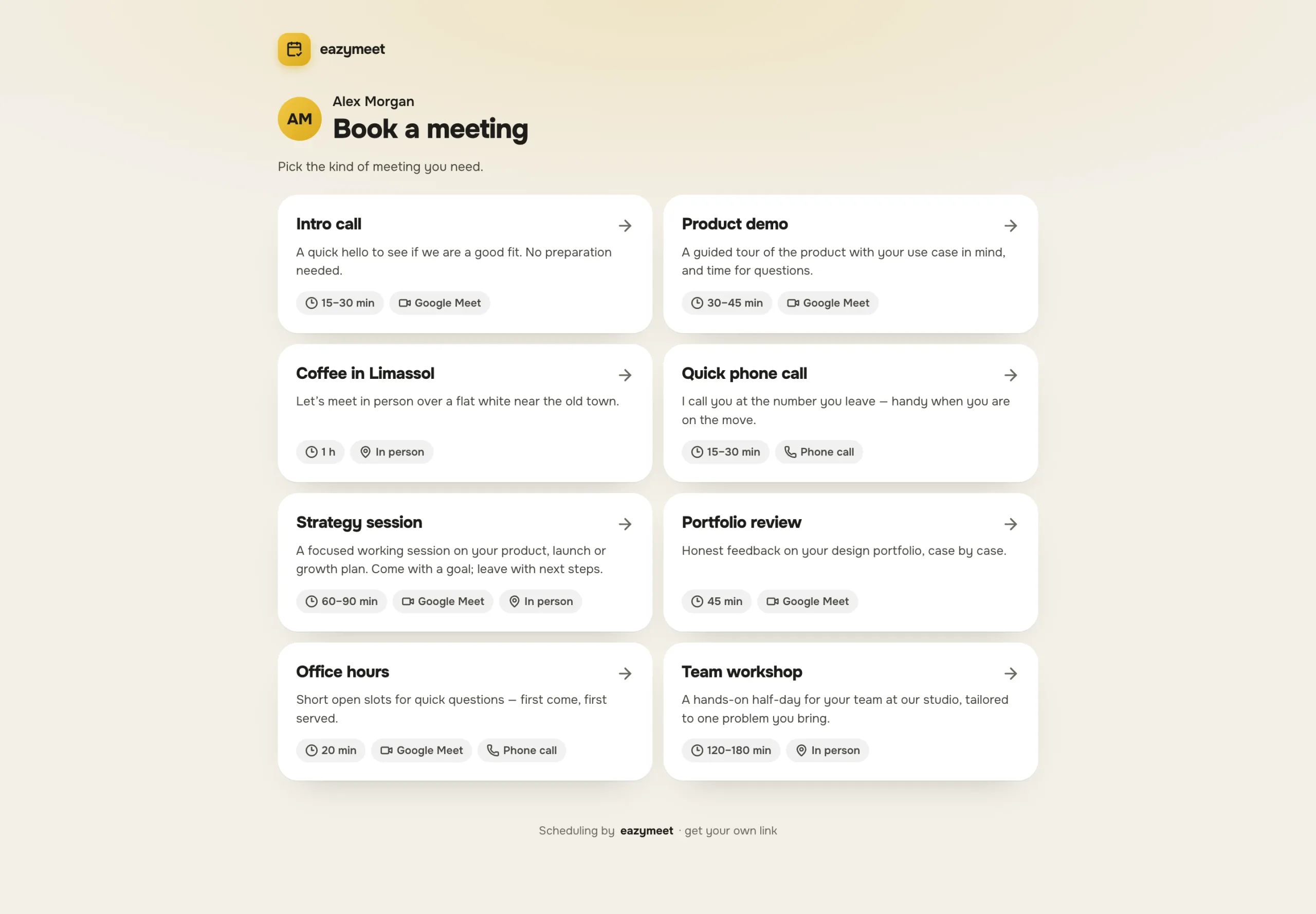
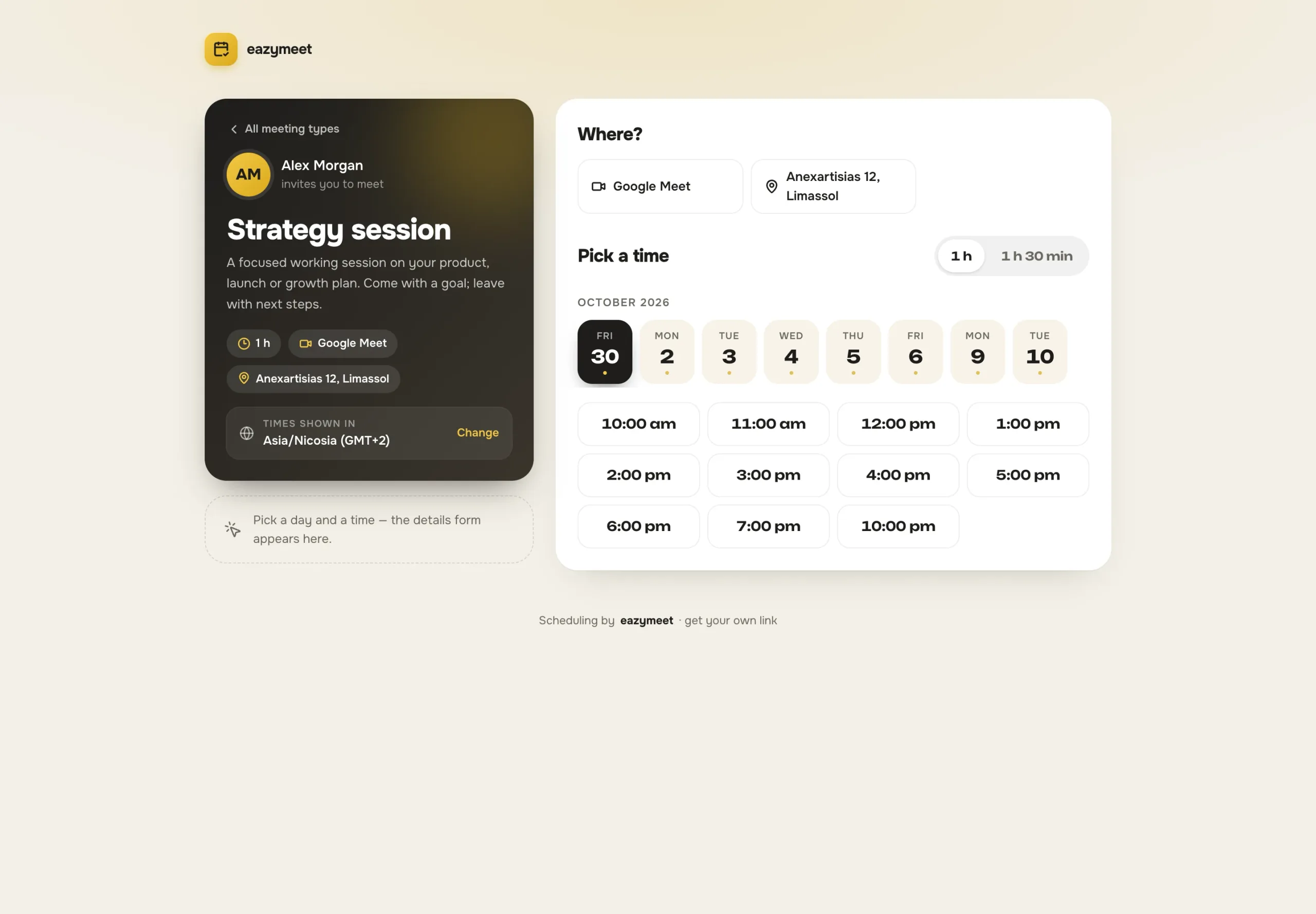
A guest picks a time
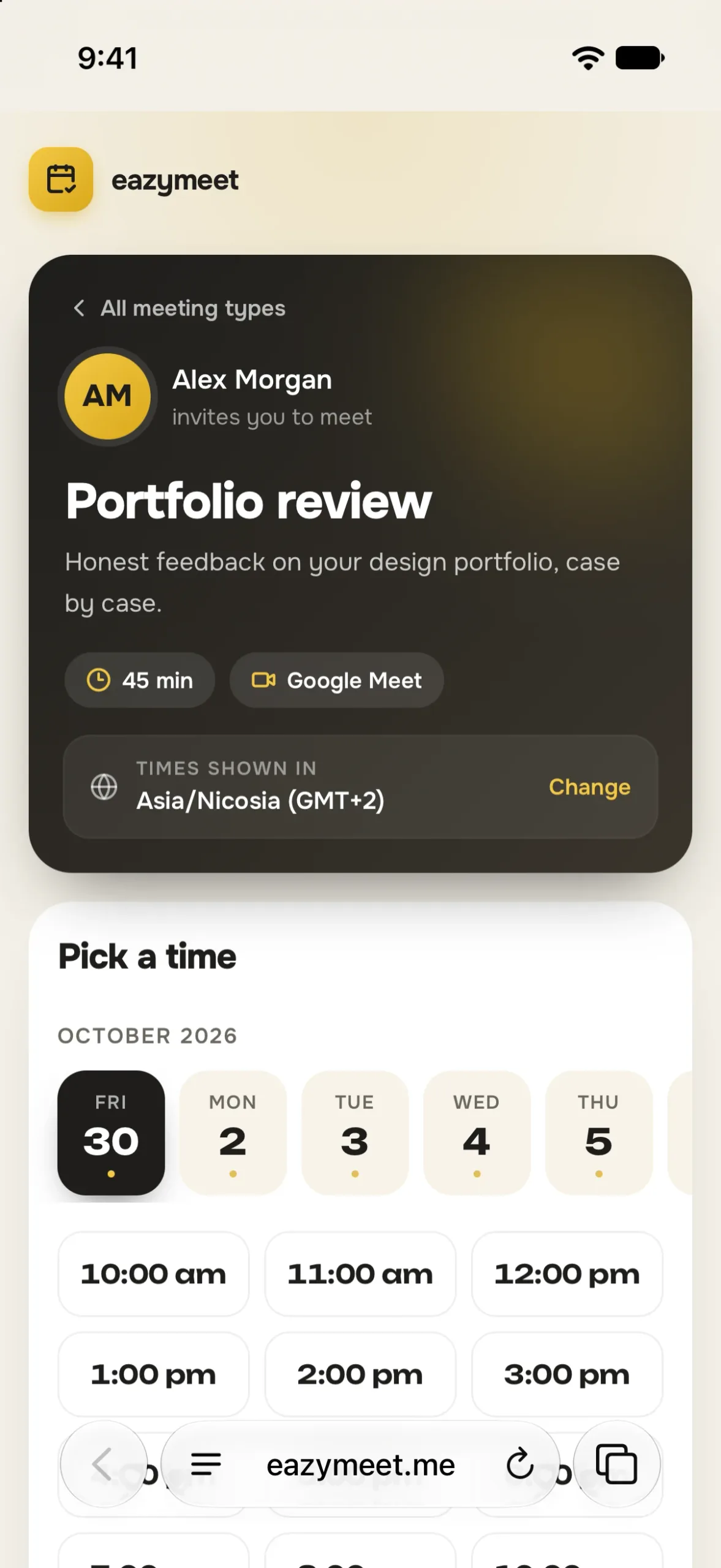
Every meeting type has its own page: video, in person or a phone call, one or several lengths, and the questions the owner wants answered. Free times come from the owner’s Google Calendar, working hours, time off and buffers, and are shown in the guest’s own time zone. Bot protection and limits per address keep the form from becoming a spam channel.
It lands in both calendars
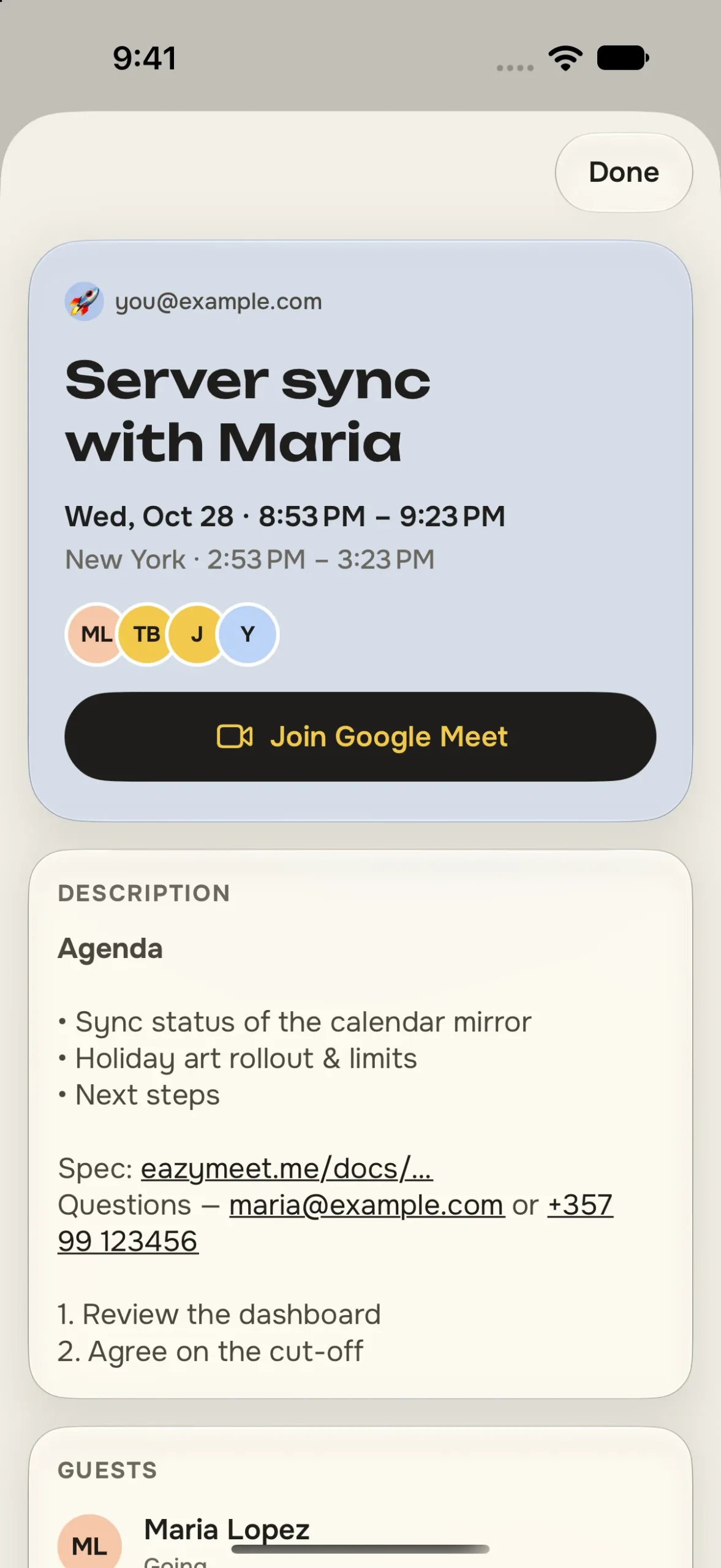
A booking becomes an event in the owner’s Google Calendar at once, with a Google Meet link for video calls, and Google sends the guest an invitation. The event title carries the time with its time zone, so nobody misreads it. The guest can cancel from the invite, and the owner gets a push notification either way.
Your day, at a glance
The iPhone app needs no account to start: it reads the calendars already on the phone — Google, iCloud, Outlook — and shows the day in one calm view. A date drum to roll through days, a pinch to the month, the next meeting with a big Join button for Meet, Zoom or Teams, and a second time zone beside every meeting.
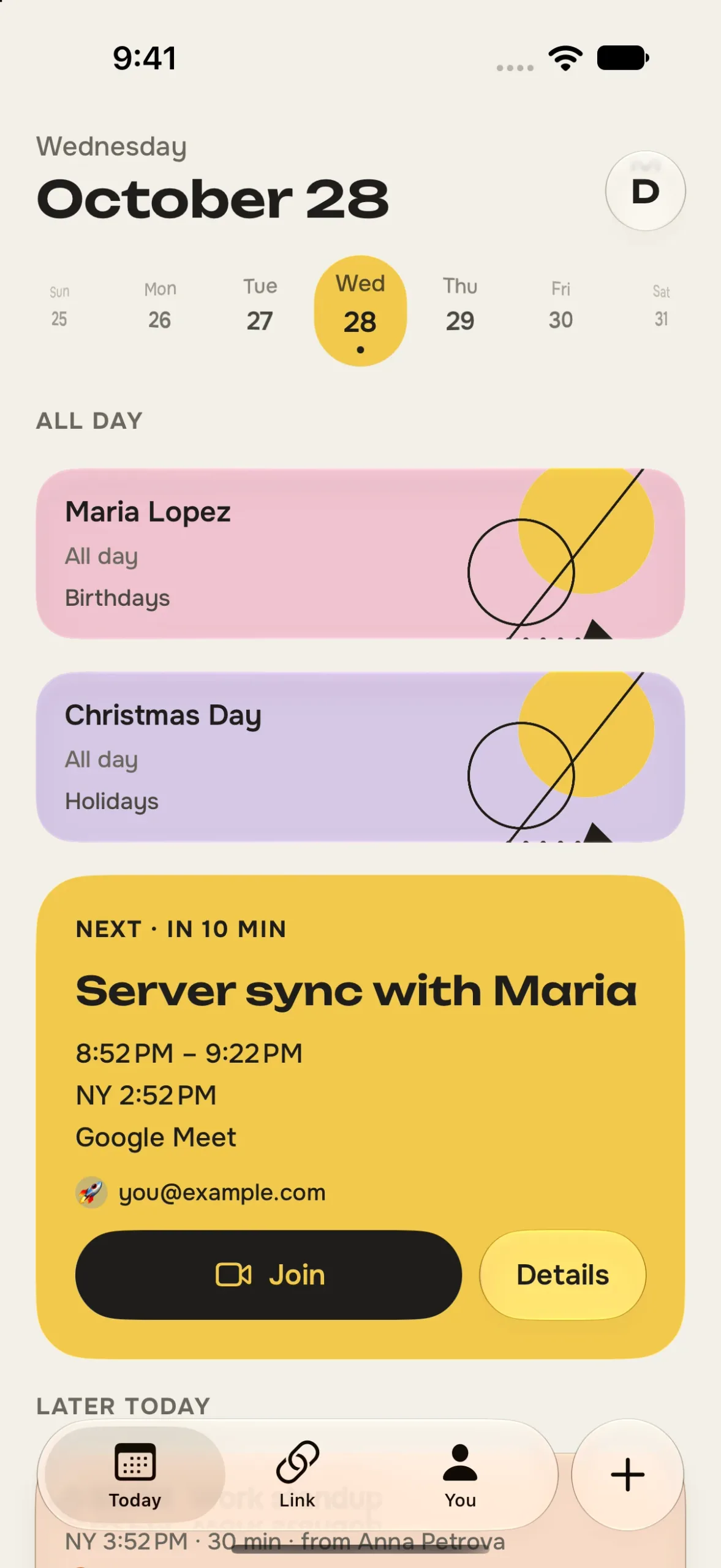
On iPhone
1 / 8
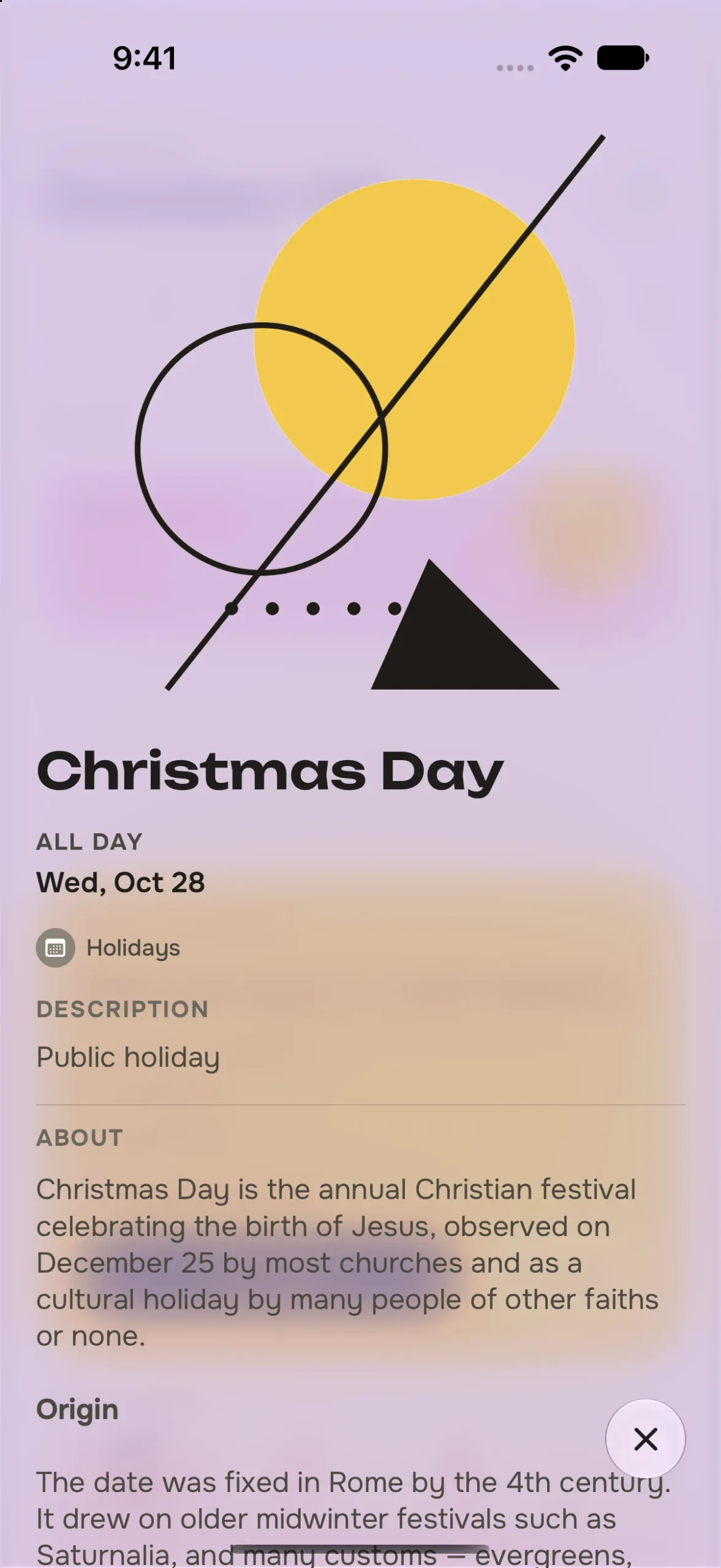
Holidays with a story
Holidays and birthdays get their own illustrated cards in the spirit of Kandinsky; tap a holiday and it unfolds into its story. The illustrations and short summaries are made by AI on our server from the public holiday name only — meeting details are never sent to an AI.
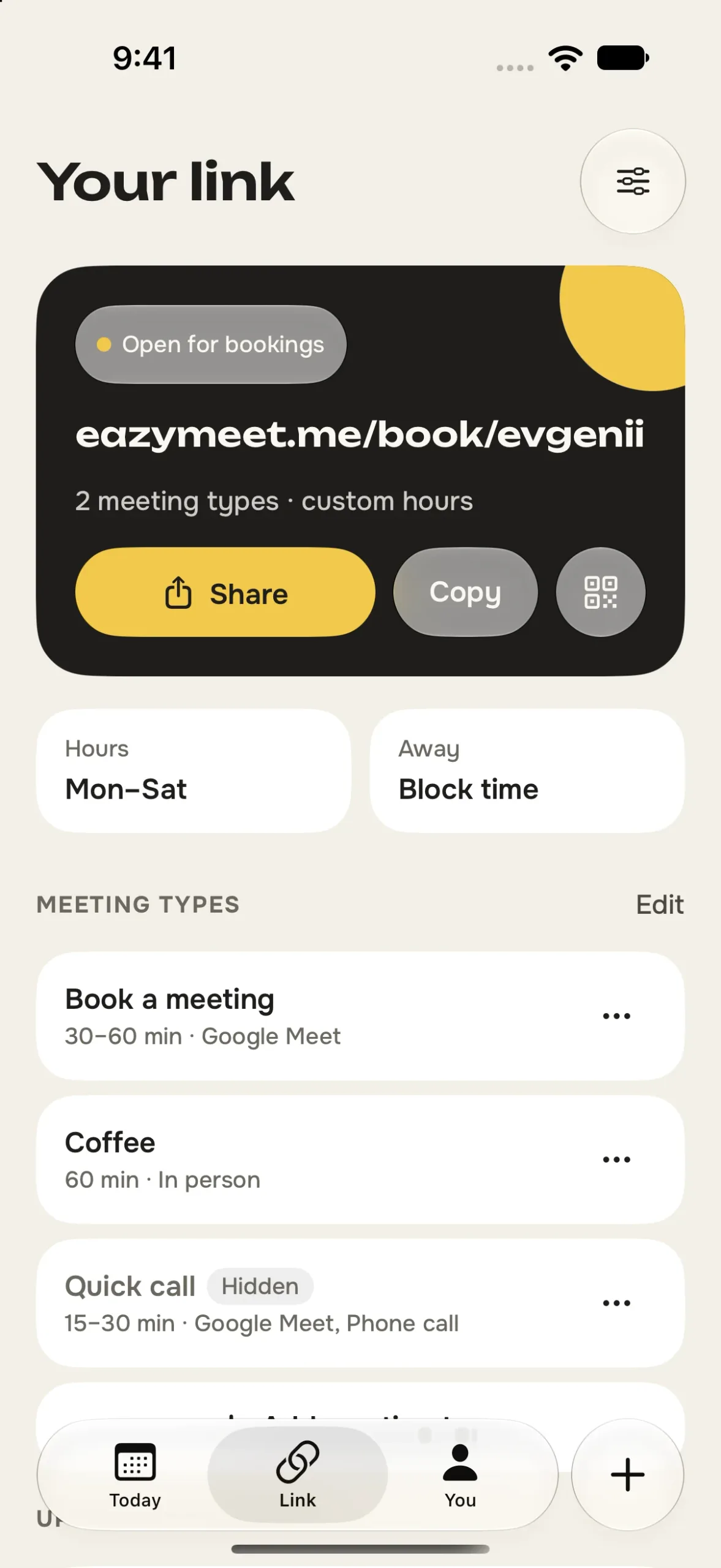
The link, run from the phone
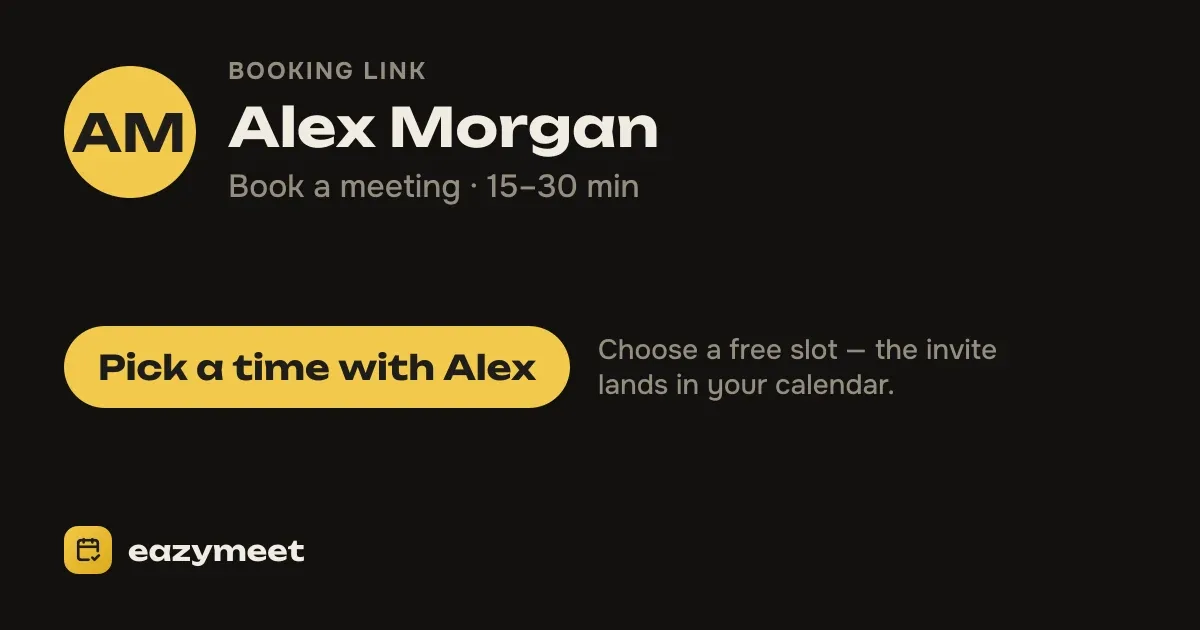
The Link tab is the booking page’s control room: share it or show a QR code, pause it, set weekly hours and time off, edit meeting types and their questions, and choose which Google account takes bookings — even per meeting type. New bookings arrive as push notifications.
Made for iPad and iPhone Duo
Unfold an iPhone Duo or open it on an iPad and eazymeet stops being a stretched phone: the day sits beside the month, a meeting or a holiday opens next to the day, and the Link and You tabs split into a list and the open item. Fold it, and what you had open stays open.
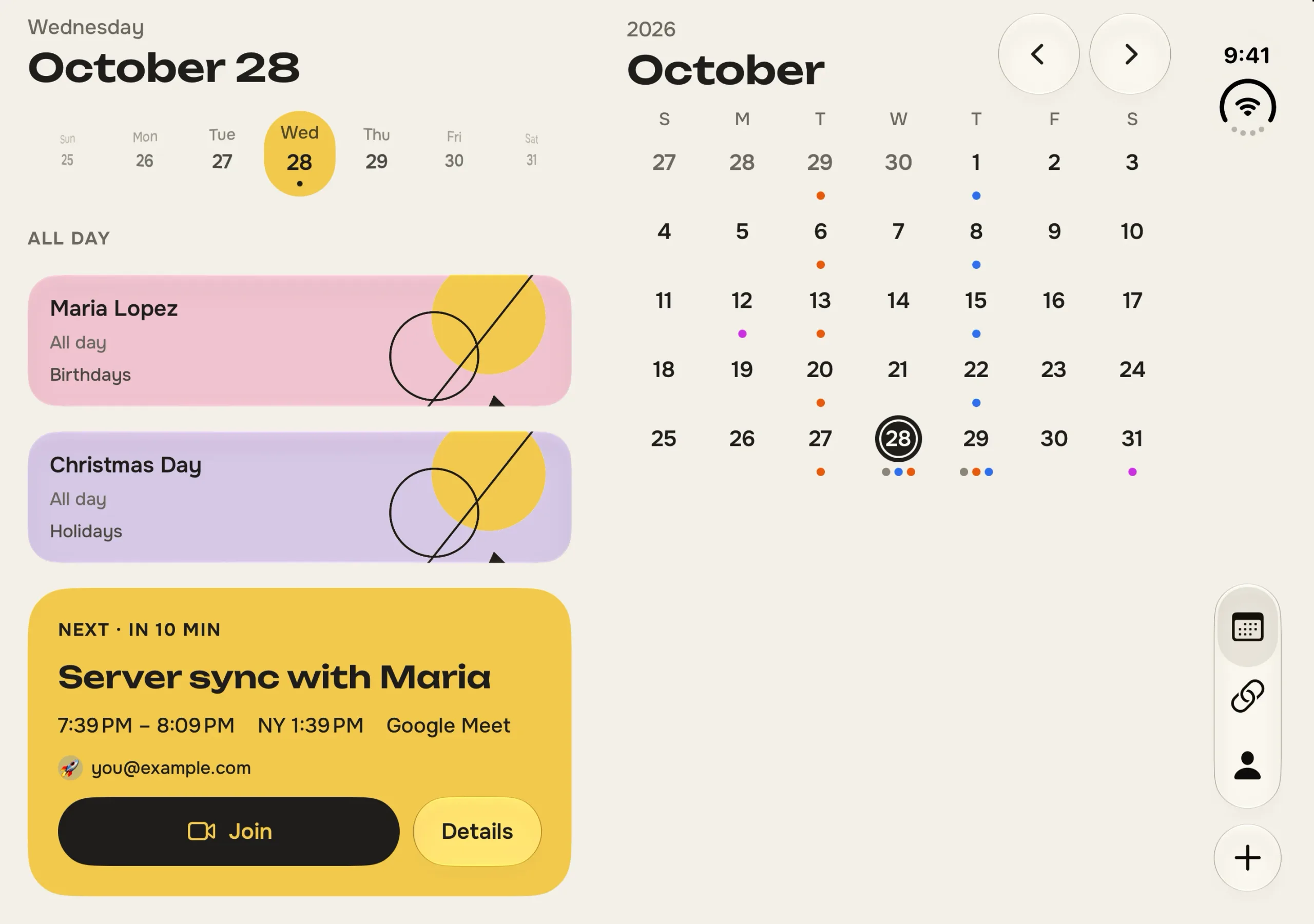
Unfolded: two panes
1 / 4
On iPad
1 / 5
Folded: a phone again
1 / 4
Widgets, Live Activities and AI assistants
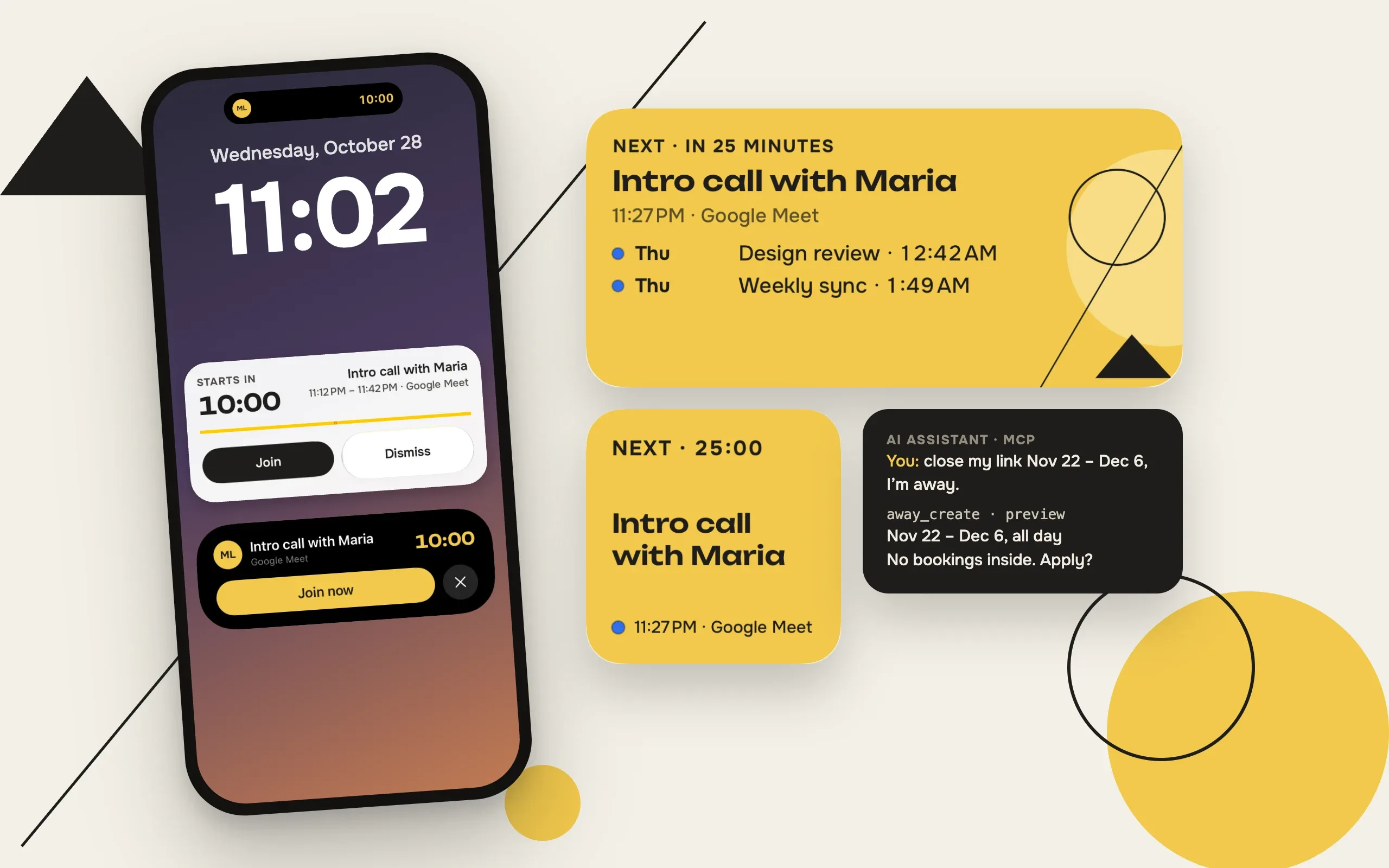
A Today widget changes colour with the day — warm before a meeting, calm otherwise, tinted on holidays — and a Live Activity counts down to the next call on the Lock Screen and in the Dynamic Island. An MCP connector lets an AI assistant manage the booking setup with the owner’s key: every change is previewed first and can be undone.
What we built
Booking page
Meeting types with places, lengths and questions; free times in the guest’s time zone.
Google Calendar sync
A worker mirrors busy times and creates events with Google Meet links and invitations.
iPhone app
SwiftUI on the calendars already on the phone — no account needed to start.
iPad and iPhone Duo
Two panes on big screens; folding keeps whatever was open.
Widgets and Live Activities
A colour-of-the-day widget and a countdown to the next call.
Holiday art and stories
Illustrations and summaries made by AI from the public holiday name only.
Link previews and embeds
A clean card in messengers, oEmbed, and booking forms for any website.
MCP for AI assistants
Preview, journal and undo for every change; audited support access.