EazyPick× WhyNotGlobal
EazyPick — online grocery orders, picked right
EazyPick is our in-store app for picking, packing and handing over online grocery orders. A shop phone or a rugged scanner gets the day’s orders as a work feed; pickers walk the store in shelf order, scan, weigh and substitute; the card is charged for what actually went in the bag. We install it for a retailer and connect it to their systems.
- Client
- EazyPick
- Year
- 2026
- Product
- In-store picking, packing and handoff for online grocery
- For
- Grocery retailers, supermarket chains and distributors
- Runs on
- Shop phones, Zebra handhelds, ring and gun scanners
- Stack
- Next.js, React, TypeScript, PWA, Node.js, GraphQL, PostgreSQL, Redis
- Our role
- Product, design, app, back end, integrations, testing, hosting
A grocery order’s real total is known only after picking.
The order is paid before anyone touches it, but meat, cheese and produce are weighed on the spot, some items are not on the shelf and some get swapped. Paper pick lists and desktop order screens carry none of that back to the order or the payment — and pickers work one-handed, in gloves, on a shared phone, with bad Wi-Fi at the back of the store.
An app built for the store floor — and for the money.
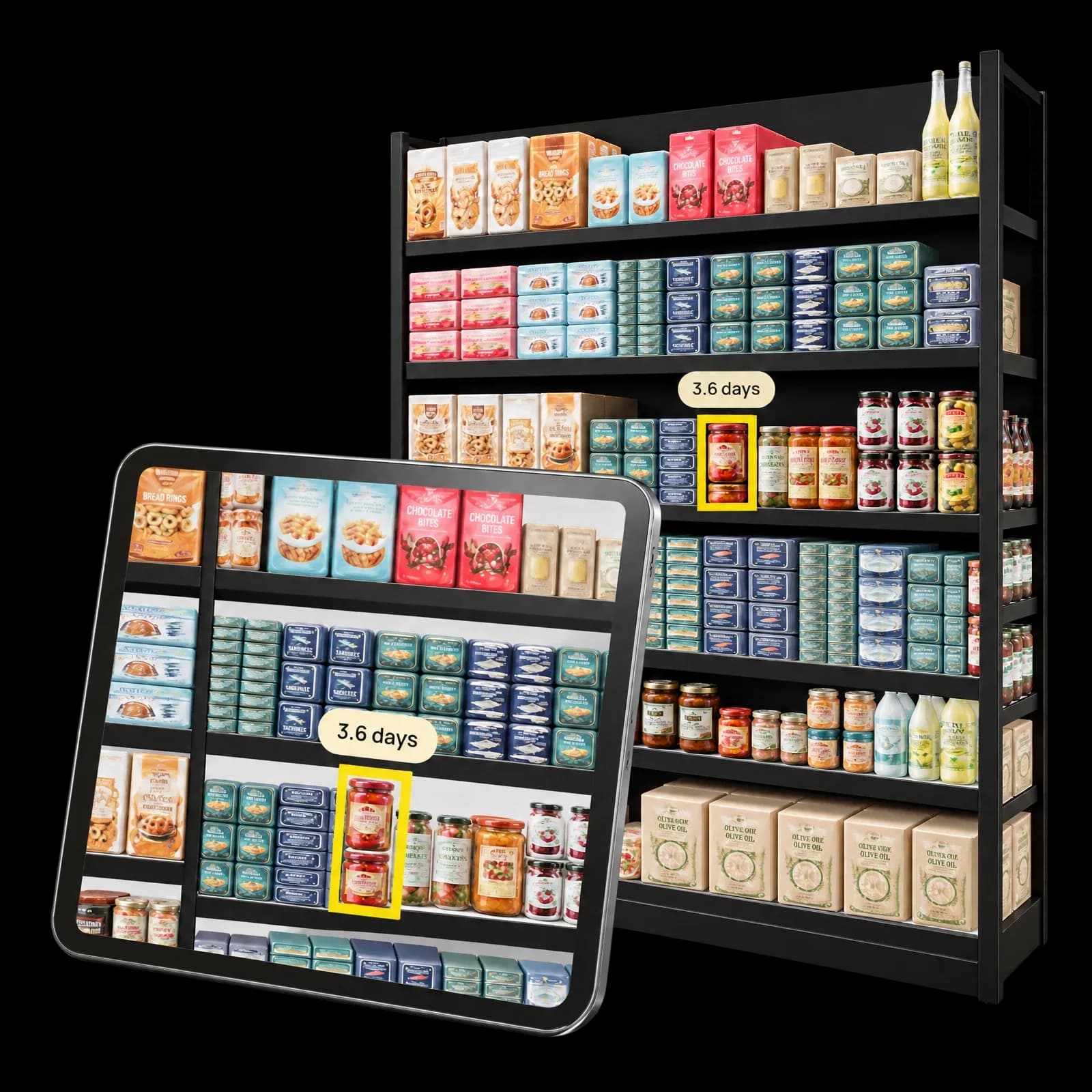
EazyPick turns the day’s orders into a work feed on a shop phone or a rugged scanner. Pickers walk the store in shelf order, scan, weigh, mark shorts and pick AI-suggested substitutes the customer approves by SMS. Packing settles the order on what actually went in the bag, and only then is the card charged.
1 min
03 · from order to pick list
A new order is routed to the store that fills it and gets its walking-route pick list within a minute.
10
From the order arriving to the bags in the customer’s car — all in one app and one console.
2.5 s
AI re-ranks in-stock substitutes; if it is slower, the scored list is used and picking never waits.
504
On picking, waves, substitutions, weighing, packing, curbside and PIN sign-in.
A shop phone, not an admin screen
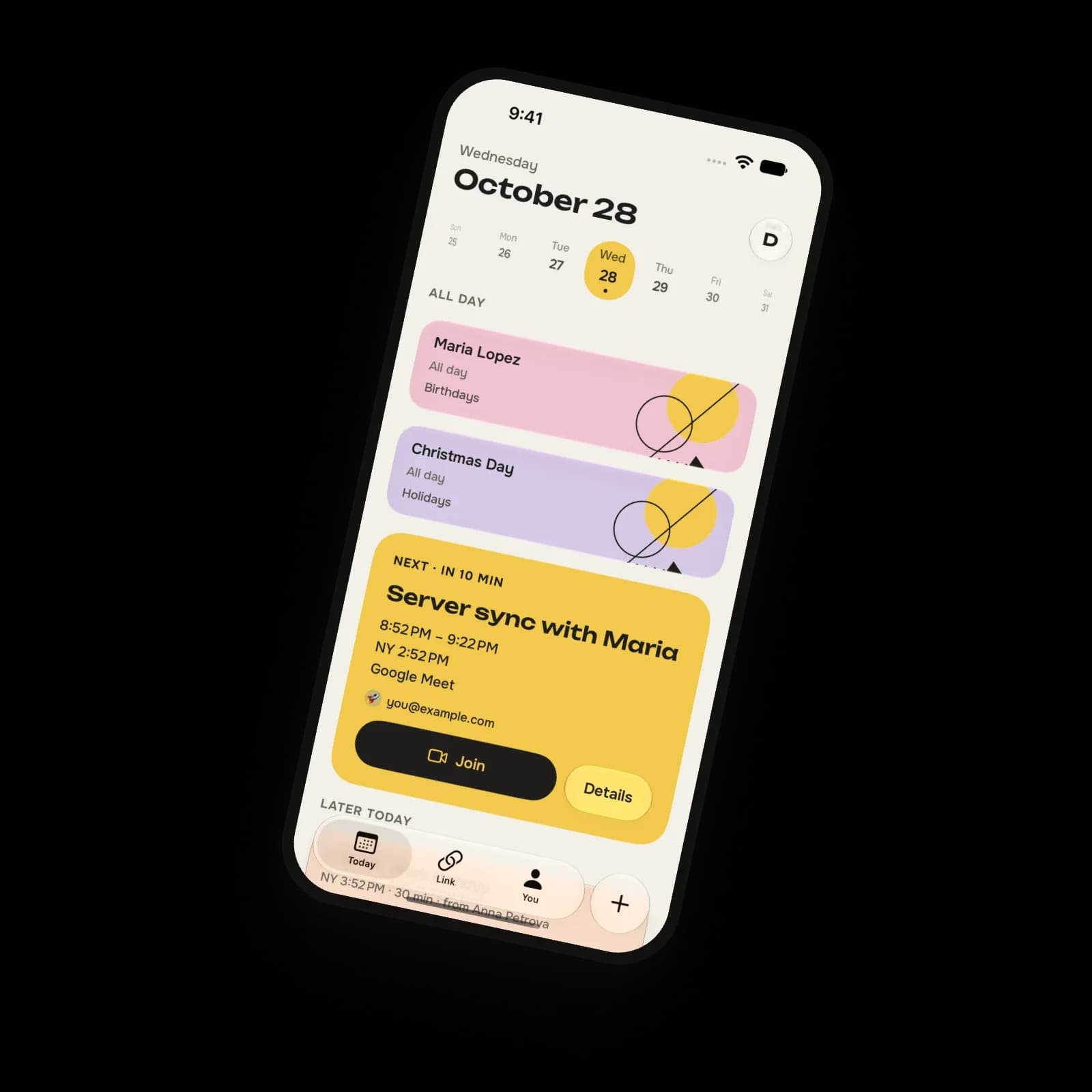
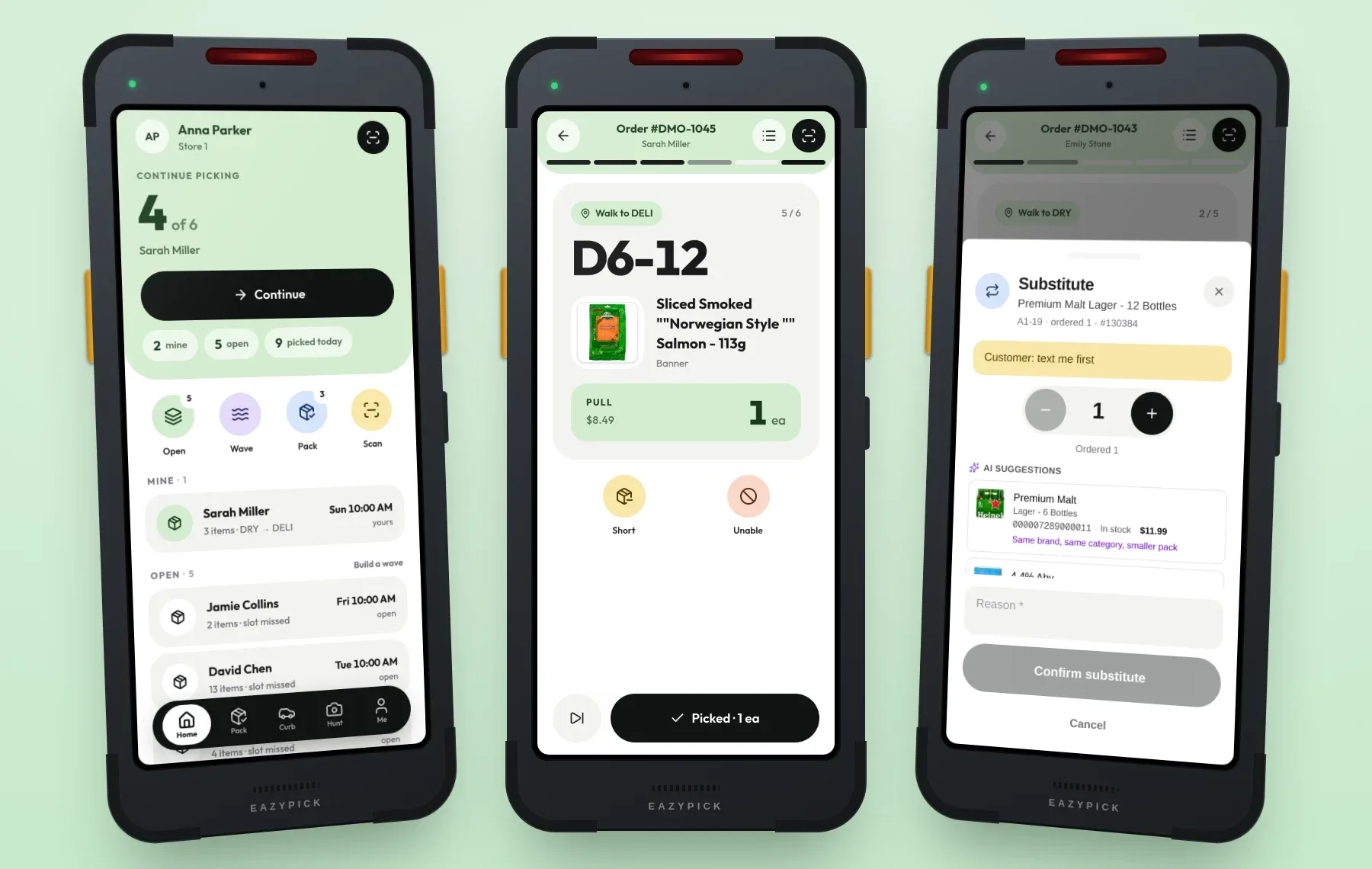
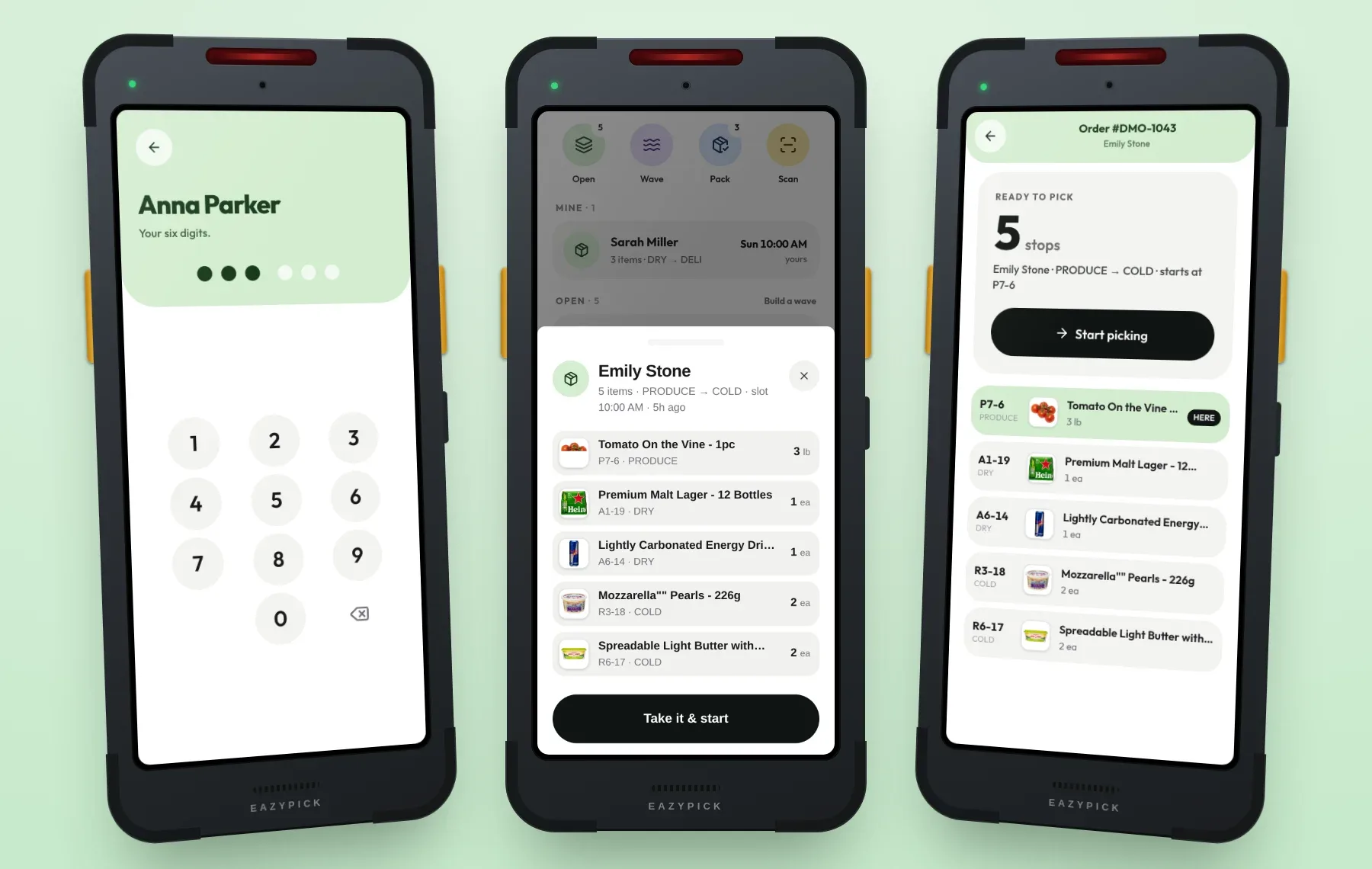
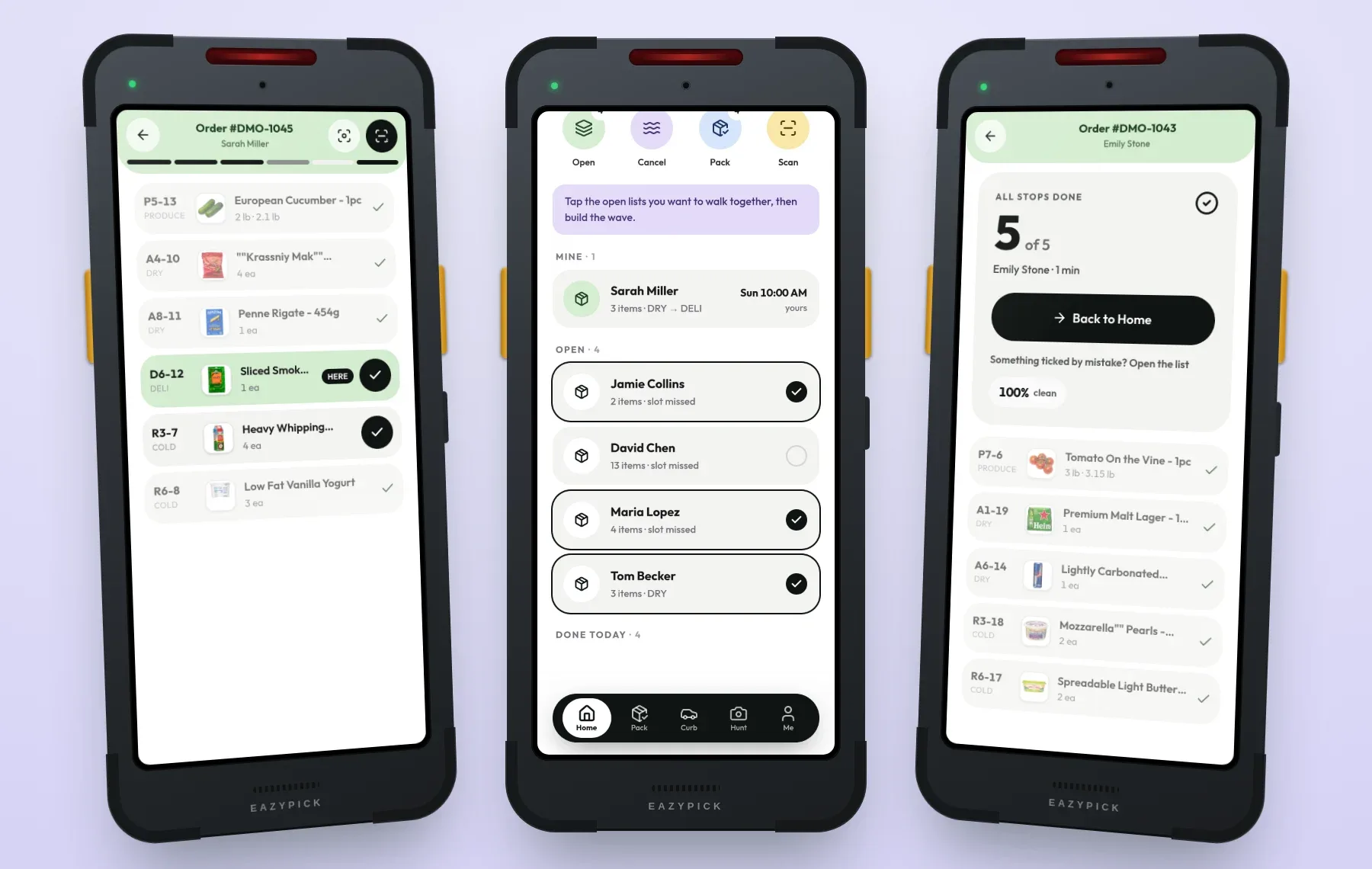
A phone is registered to a store once, by a QR code from the console. Staff then tap their name and a six-digit PIN — weak PINs are refused, repeated wrong tries lock it, and “hand the phone on” ends a shift without unpairing. The work feed shows Urgent, Mine, Open and Done today, sorted by slot time, with one big button: continue, next up, or take the next one.
Walk the store once
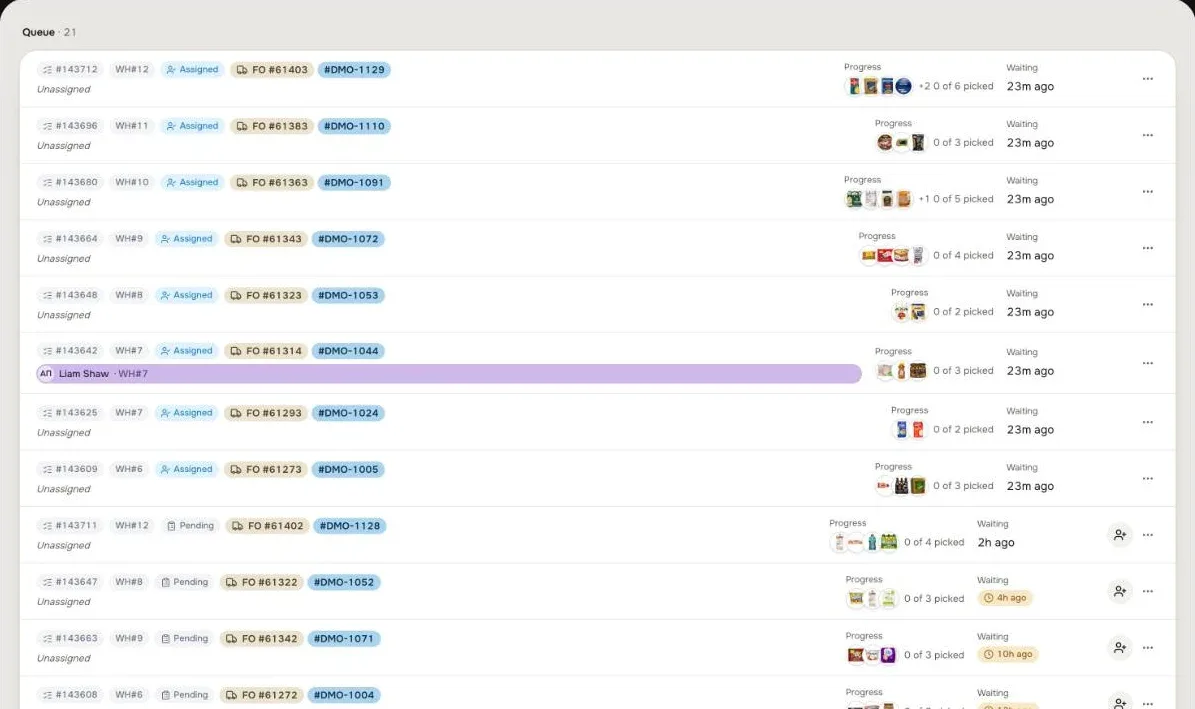
Stops come in the store’s own walking order, zone by zone — produce, dry, deli, bakery, cold, frozen — with the shelf code in huge type. “Picked” is one tap or one scan, “later” brings a stop back at the end, and every action can be undone for six seconds. Waves pick several orders in one walk, each into its own lettered tote; one scan can fill several totes at once. Scanning works with the phone camera, Zebra handhelds through DataWedge, and Bluetooth or USB ring and gun scanners — and barcode matching handles the leading zeros and missing check digits back-office systems are known for.
Weighed, short, swapped
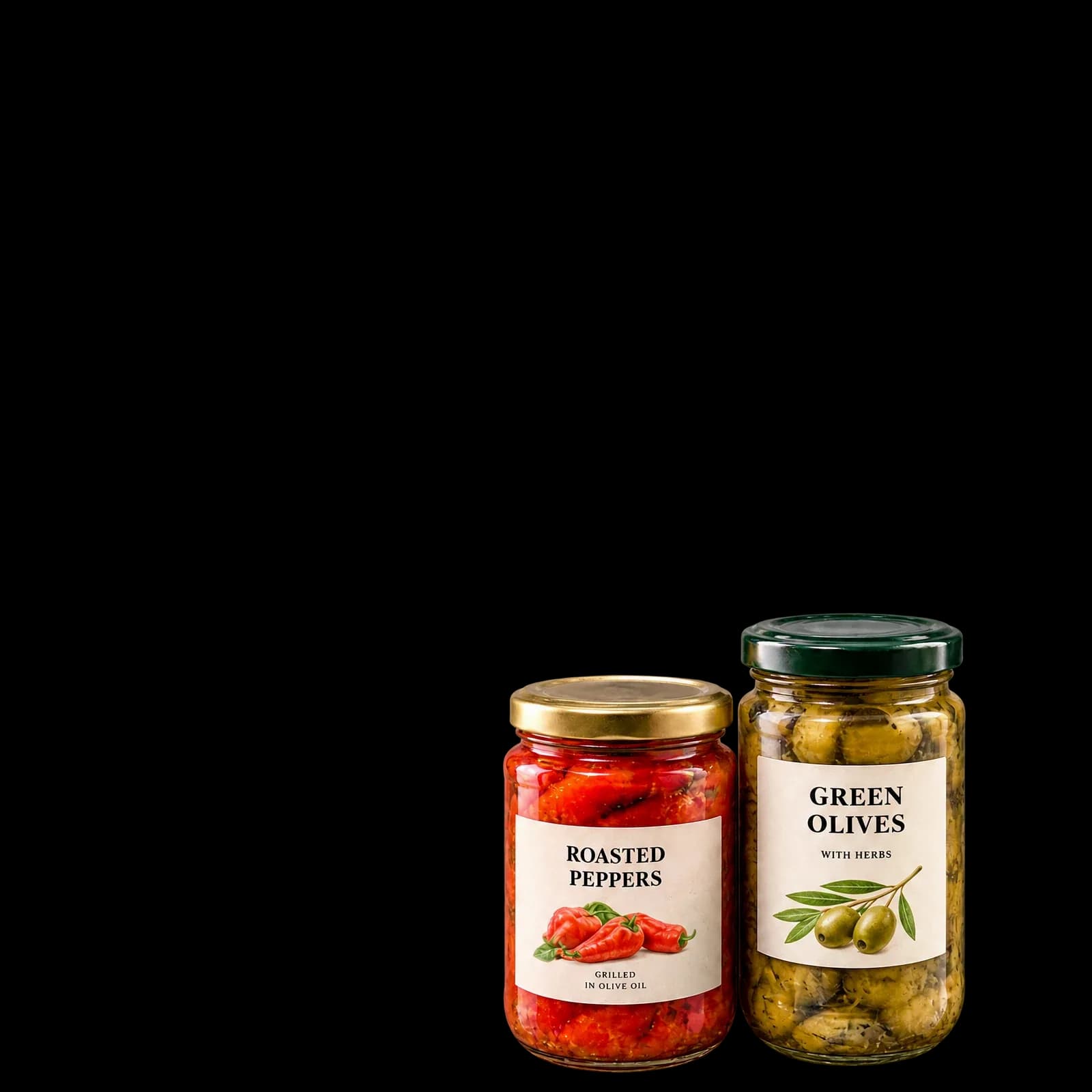
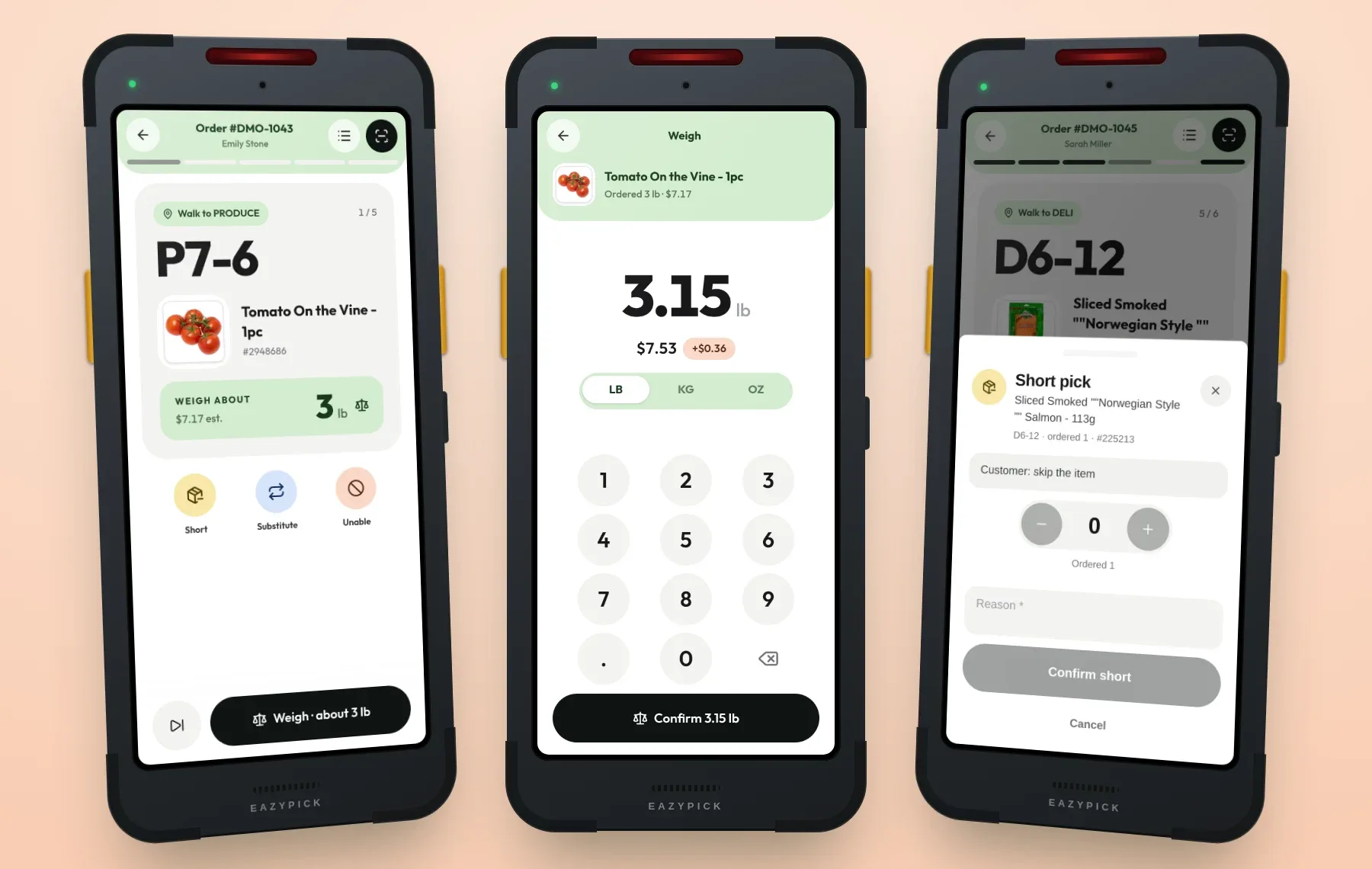
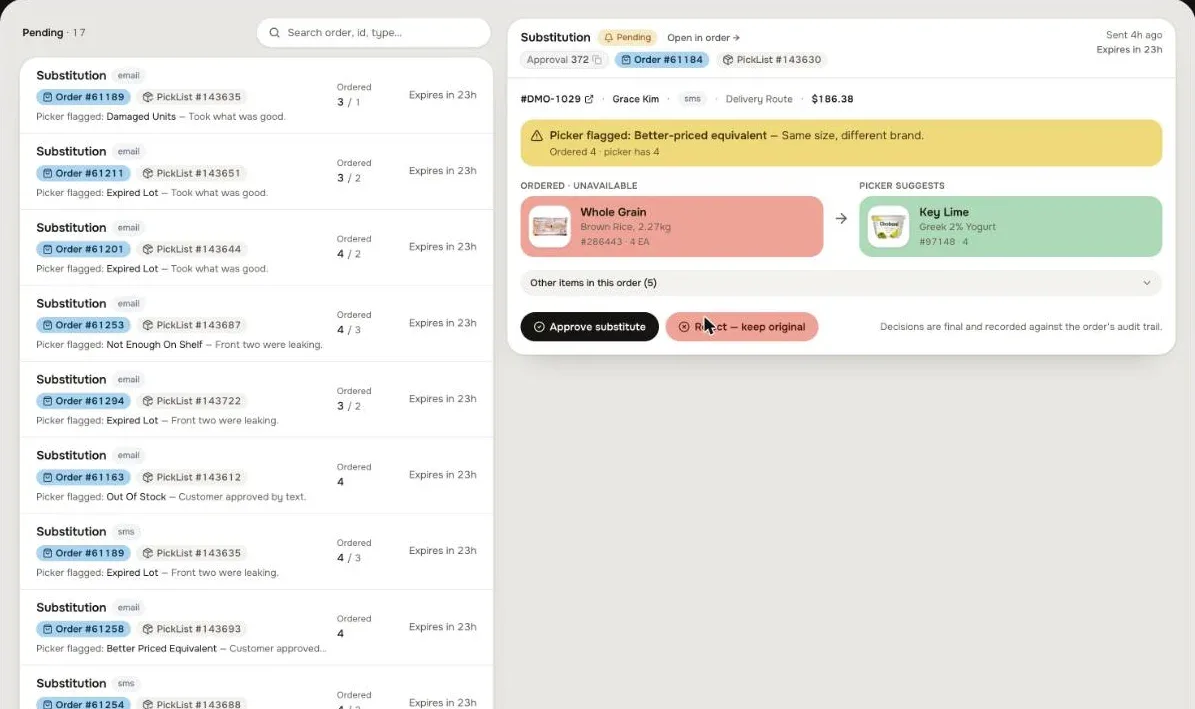
Weighed items open a big keypad: the picker types what the scale shows, in lb, kg or oz, and the line is repriced by real weight. Short or out of stock takes one action sheet with a reason. For a substitute, EazyPick suggests up to four in-stock products at the store’s price, ranked by AI with a reason each. If the customer asked to be asked, they approve it from an SMS link — no login — and silence means yes.
Charge what’s in the bag
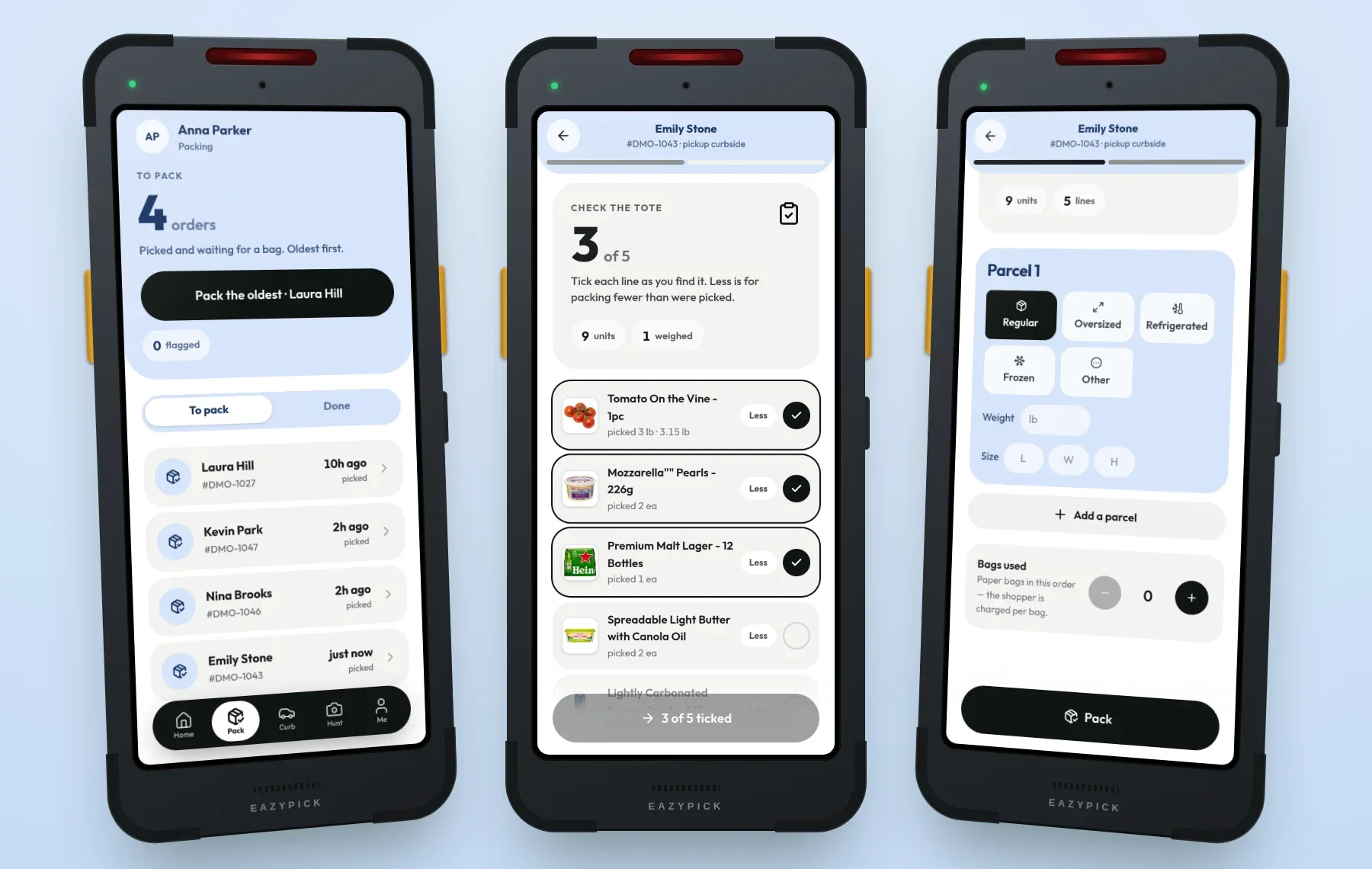
The packer checks the tote line by line, then bags it: regular, oversized, refrigerated or frozen parcels, weights, sizes and paper bags used. At checkout the card was only authorised, with a buffer for weighed items. At packing EazyPick restates the order from the bag — real weights, shorts off, substitutes at shelf price, tax and discounts recalculated — and only then captures the final amount.
Curbside, photo hunt, my day
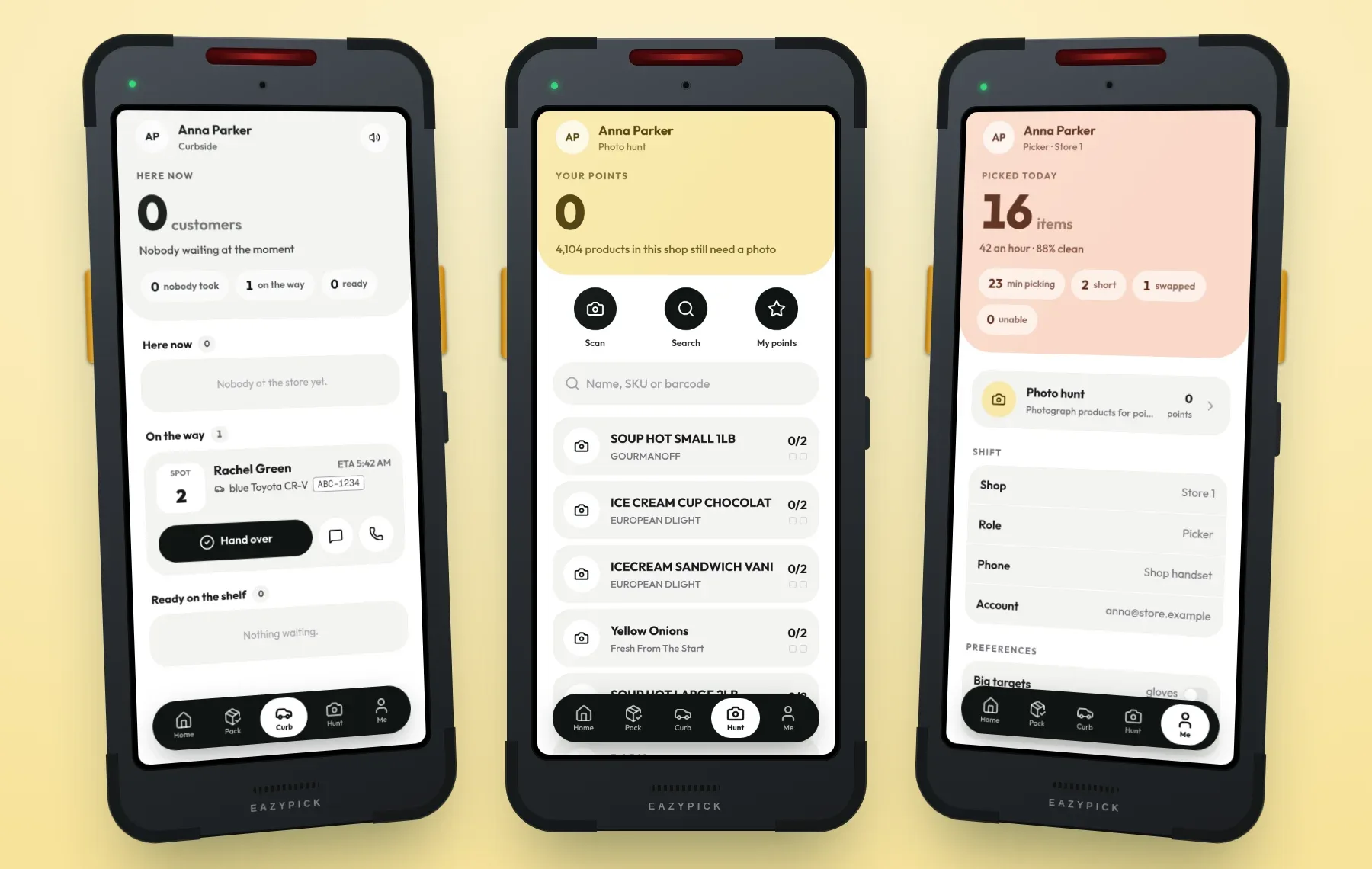
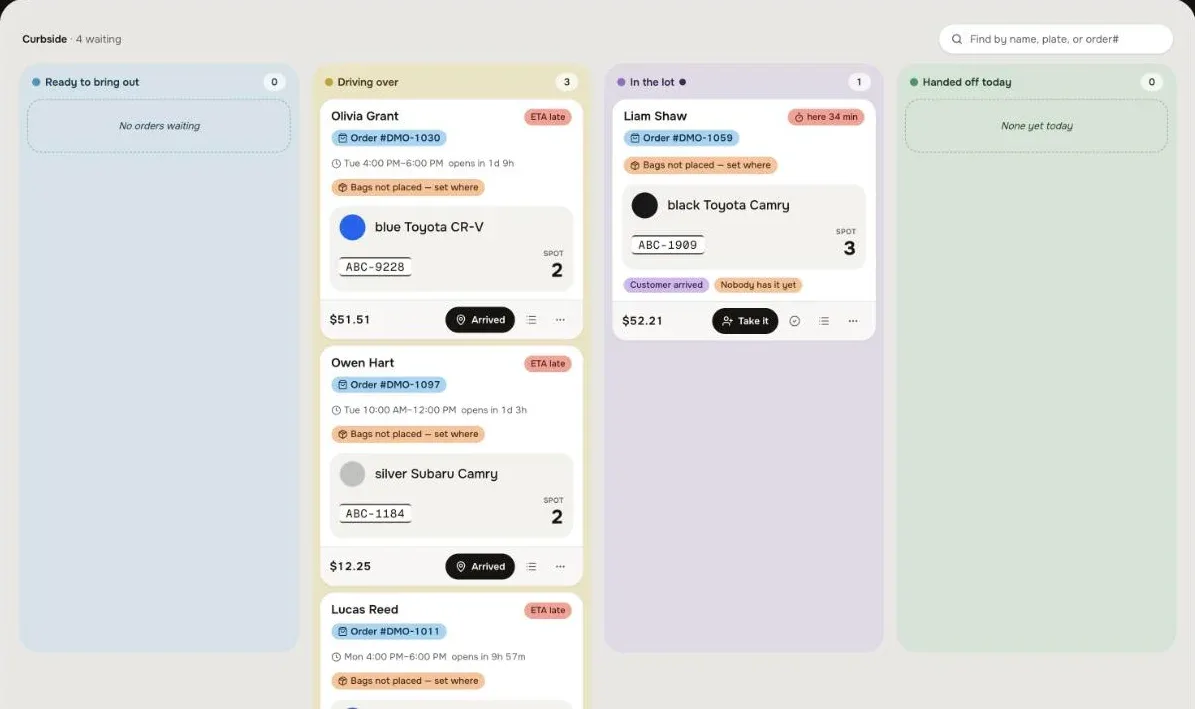
The curbside screen shows who is on the way and who is in the lot, longest wait first, with their car and parking spot, a chime on arrival and quick messages both ways. In quiet hours, the photo hunt sends pickers to shoot products that have no photo — AI removes the background on approval, and points and streaks keep it going. My day shows each picker’s numbers and a glove mode with bigger targets.
A console for the manager
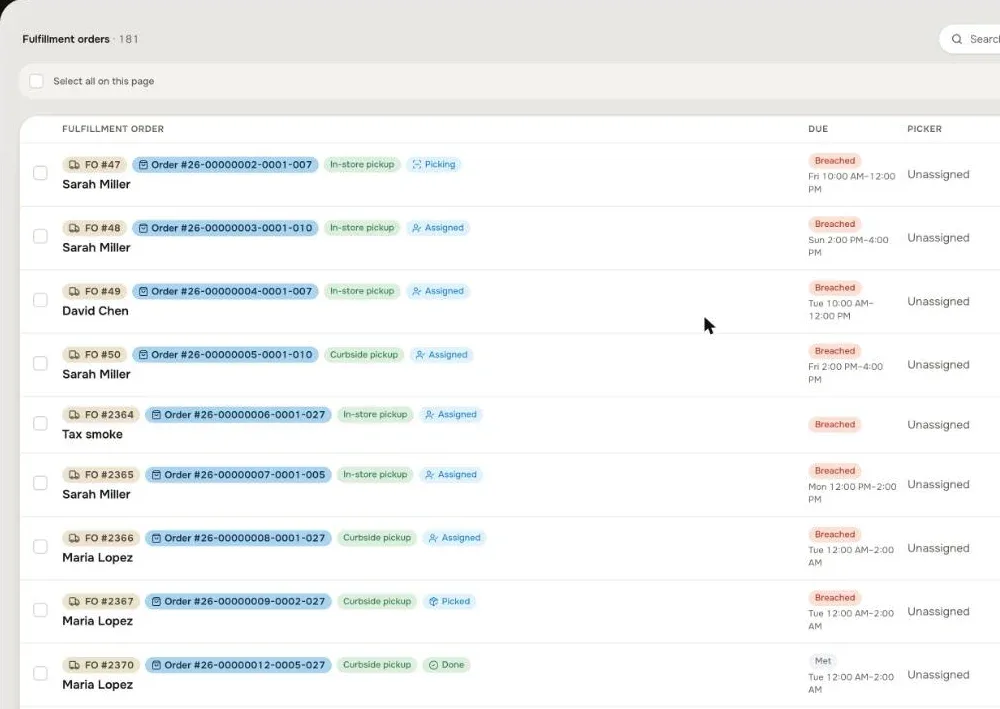
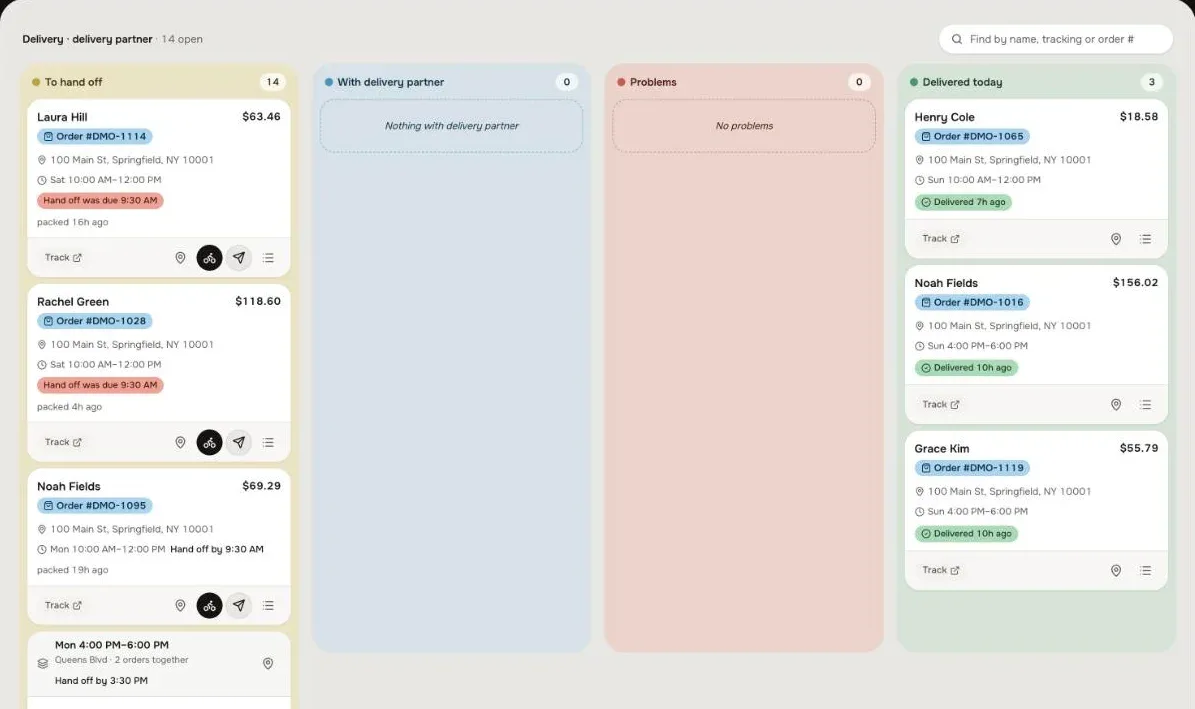
Every order by stage, with slot times and SLA badges. Build pick lists one by one or in bulk, create waves, mark an order urgent with a note. Assign, reassign and release lists, approve substitutions on the customer’s behalf, run delivery dispatch and the curbside board, and read per-picker and curbside reports: wait times, early, on-time and late arrivals, no-shows.
Plugs into your store
Orders
From your online store — Shopify, BigCommerce, Adobe Commerce, WooCommerce or your own — routed to the store that fills them.
Catalogue and prices
From your POS or ERP — NCR, LS Retail, Square, Clover, SAP, NetSuite, Dynamics: products, barcodes, units, per-store assortment and shelf price.
Payments
Authorise at checkout, capture at packing, adjust or refund — Square, Stripe, Clover, Sola, Shopify Payments, Authorize.net, Adyen. Benefit and split payments supported.
Shelf locations
From a planogram or a location file, or set up per store in the console — zones, shelf codes and the store’s walking order.
Delivery
Your own drivers with routes and live tracking, or a partner — DoorDash Drive, Uber Direct and others.
Messages and events
SMS through Twilio, MessageBird or your provider; every picked, packed, substituted and handed-over event out to your POS, ERP or partner.
Hard parts, solved
- 01
Charge the bag, not the cart
Authorise with a buffer at checkout, restate the order from the bag at packing, capture once. A declined top-up goes to a manager, not into the void.
- 02
One hand, gloves, a trolley
One main action per screen at the bottom, huge shelf codes, a glove mode, scan-to-pick and a six-second undo.
- 03
Bad Wi-Fi at the back
The app opens from the phone’s cache and shows the last data it saw at once, then refreshes behind it.
- 04
AI that never blocks
Substitute ranking has a hard 2.5-second limit and a scored fallback, so a picker never waits for a model.