EazyPlano× WhyNotGlobal
EazyPlano — shelves planned in a second
EazyPlano is our planogram product for retailers, chains, distributors and brands. It turns sales, product and fixture data into a ready shelf plan in under a second, runs right inside Claude through its own connector, plans whole chains store by store and checks the finished shelf from a photo. We install it and connect it to your data.
- Client
- EazyPlano
- Year
- 2026
- Product
- Planogram and shelf-planning system, ready to install
- For
- Retailers, chains, distributors and consumer brands
- Works in
- The web app, Claude via its connector, and on a phone
- In use at
- GMI Trading, US specialty-food distributor
- Stack
- Next.js, React, three.js, Node.js, PostgreSQL, Prisma, Redis, MCP
- Our role
- Product, design, engine, app, AI, Claude connector, installs
Shelf planning is still arithmetic done by hand.
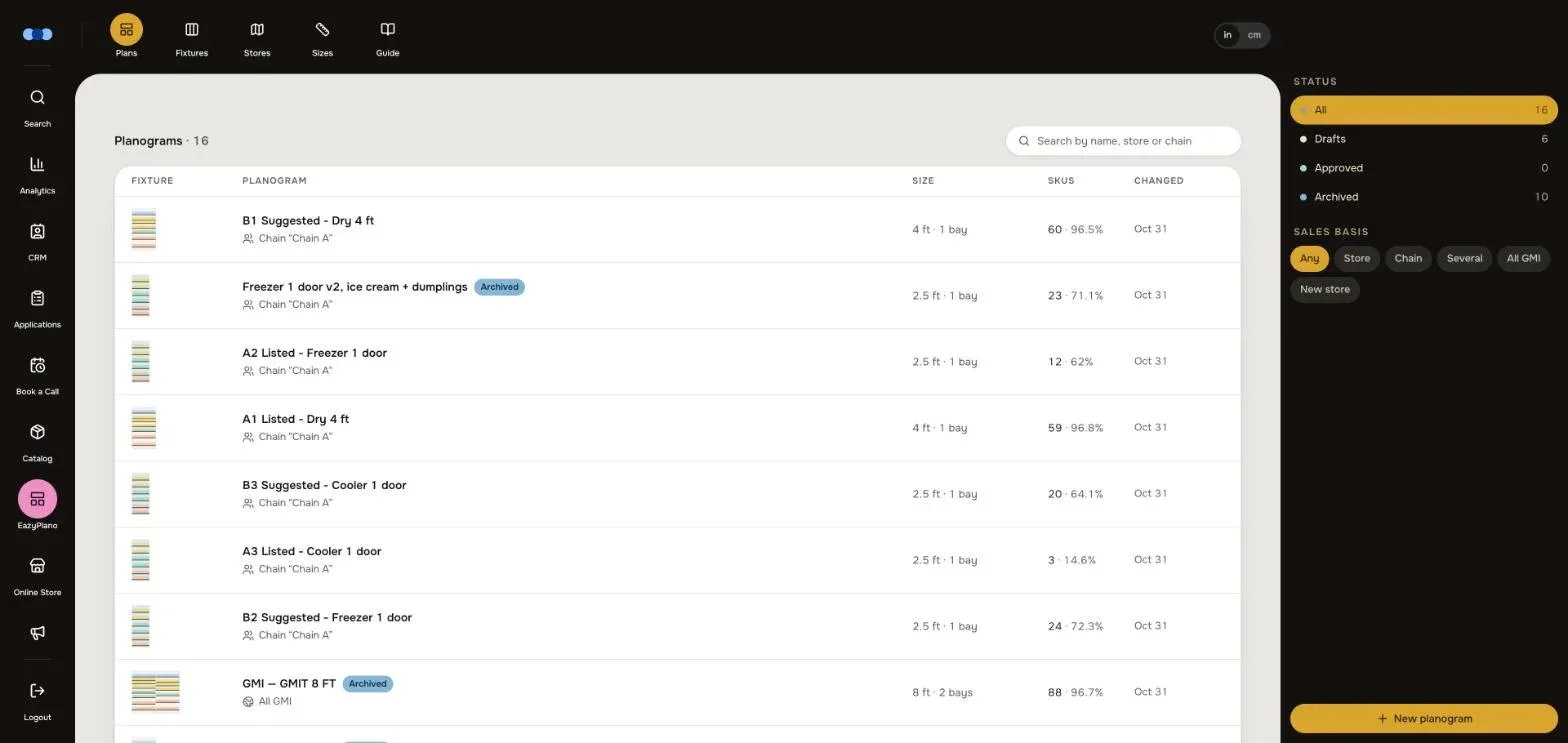
Choosing products, counting facings and fitting every shelf to the inch is work a space planner does by hand, and the result ships as a static deck that is not redone from each store’s own sales. At GMI Trading, which plans the shelves of the stores it supplies, every fixture had its own PowerPoint deck — and nothing checked that the shelf in the store matched the plan.
A planner that does the arithmetic — in an app or in a chat.
EazyPlano plans the whole shelf from sales, then lets the team fine-tune it in the editor or simply by asking Claude. Stores get the plan on a phone, and a photo of the finished shelf is checked against it. We install EazyPlano for each client and connect it to their own data; GMI now runs its shelves on it.
< 1 s
03 · to plan a whole wall
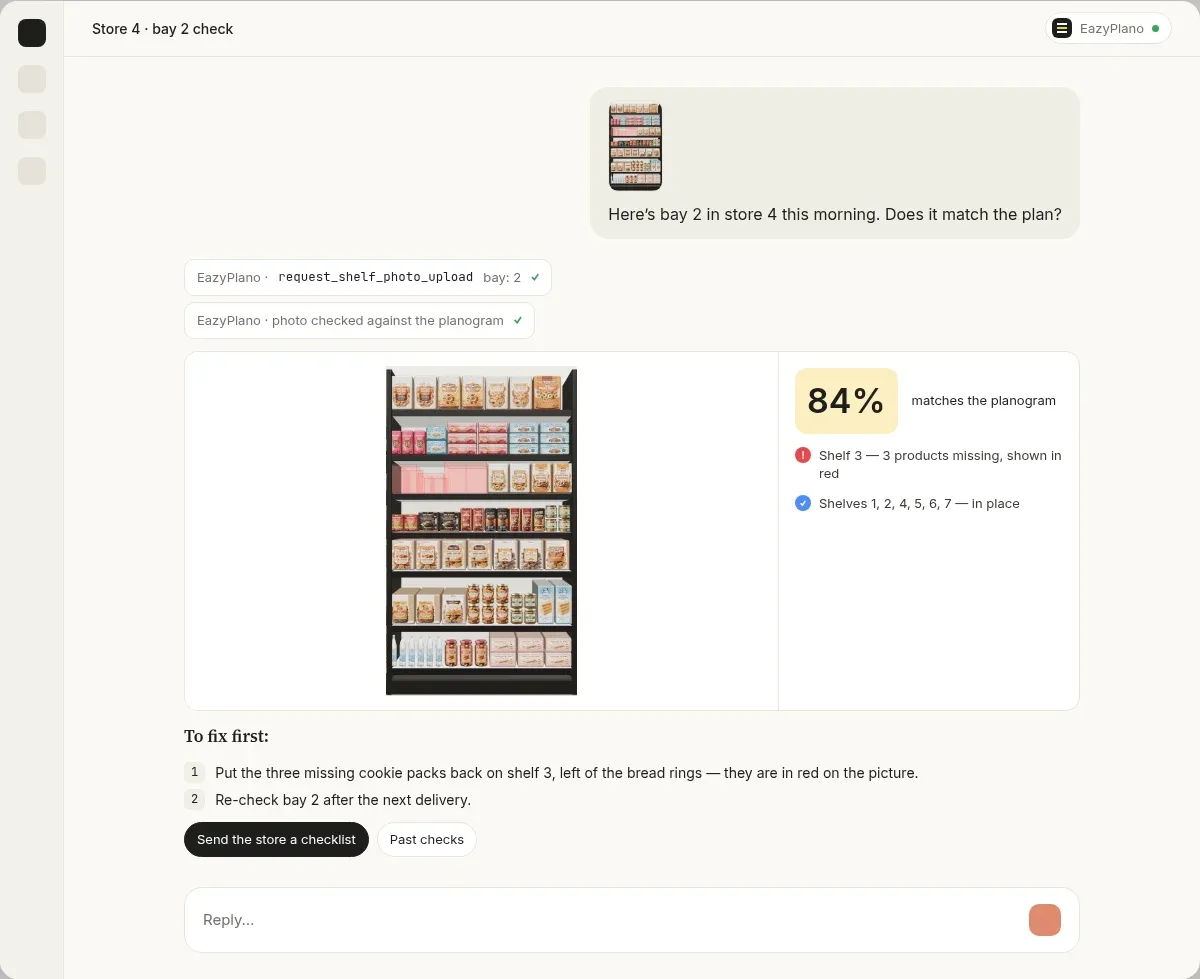
Once the sales are loaded, the engine plans a whole wall in 3–20 ms. The same data always gives the same planogram.
39
Everything the editor does, Claude can do in a chat through the EazyPlano connector.
80
One planogram per store for a whole chain, each from that store’s own sales.
96–98%
On real fixtures, with products blocked by category and brand and zoned by shelf height.
Plan a shelf by asking Claude
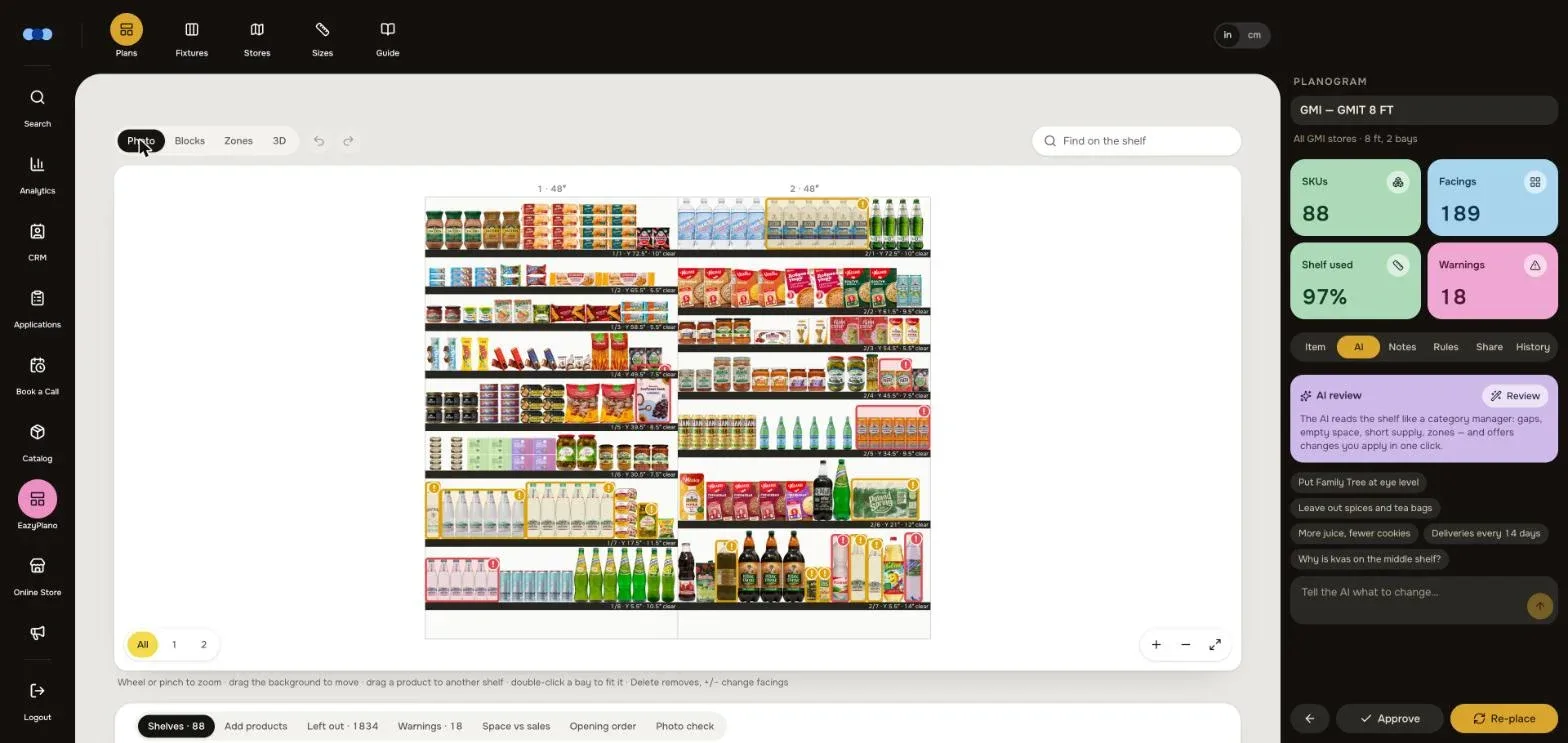
EazyPlano comes with its own connector for Claude. Add it once in claude.ai — sign in and choose what Claude may do — and it works in Claude on the web, on the desktop and on a phone. Then just ask: “plan an 8 ft dry wall for these stores from their own sales.” Claude finds the fixture and the stores, plans the wall and answers with a picture of the shelf, the totals, the warnings and links to the editor, the preview and the downloads.
Fix it in plain words
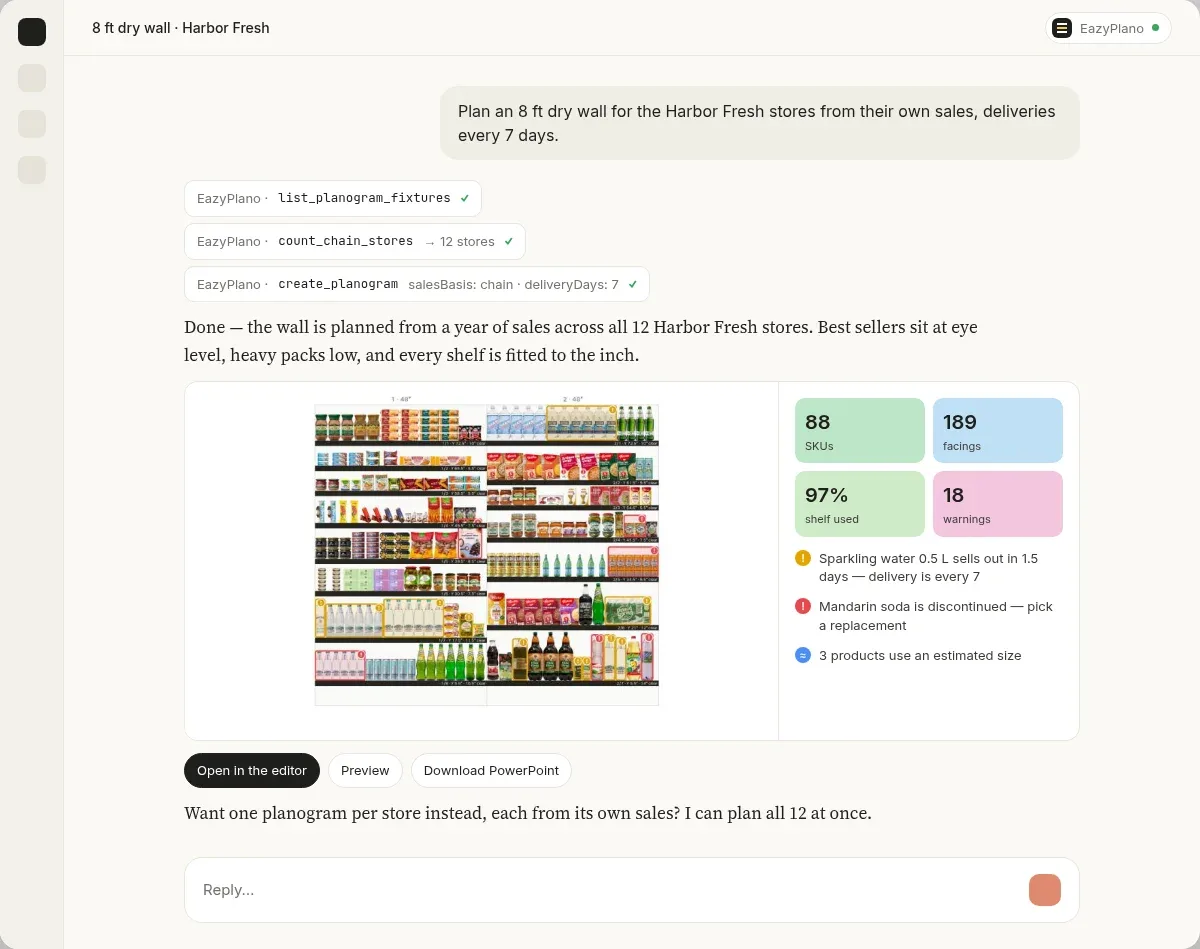
Thirty-nine tools let Claude do everything the editor does: add or remove facings, move and swap products, lock what must stay, ask the planogram AI, apply a category manager’s review, give a new product the sales of the one it replaces, fill in a missing size. Every change comes back as a new picture of the shelf and the new totals, and every step is a version that “undo the last one” takes back.
Check the shelf from a photo
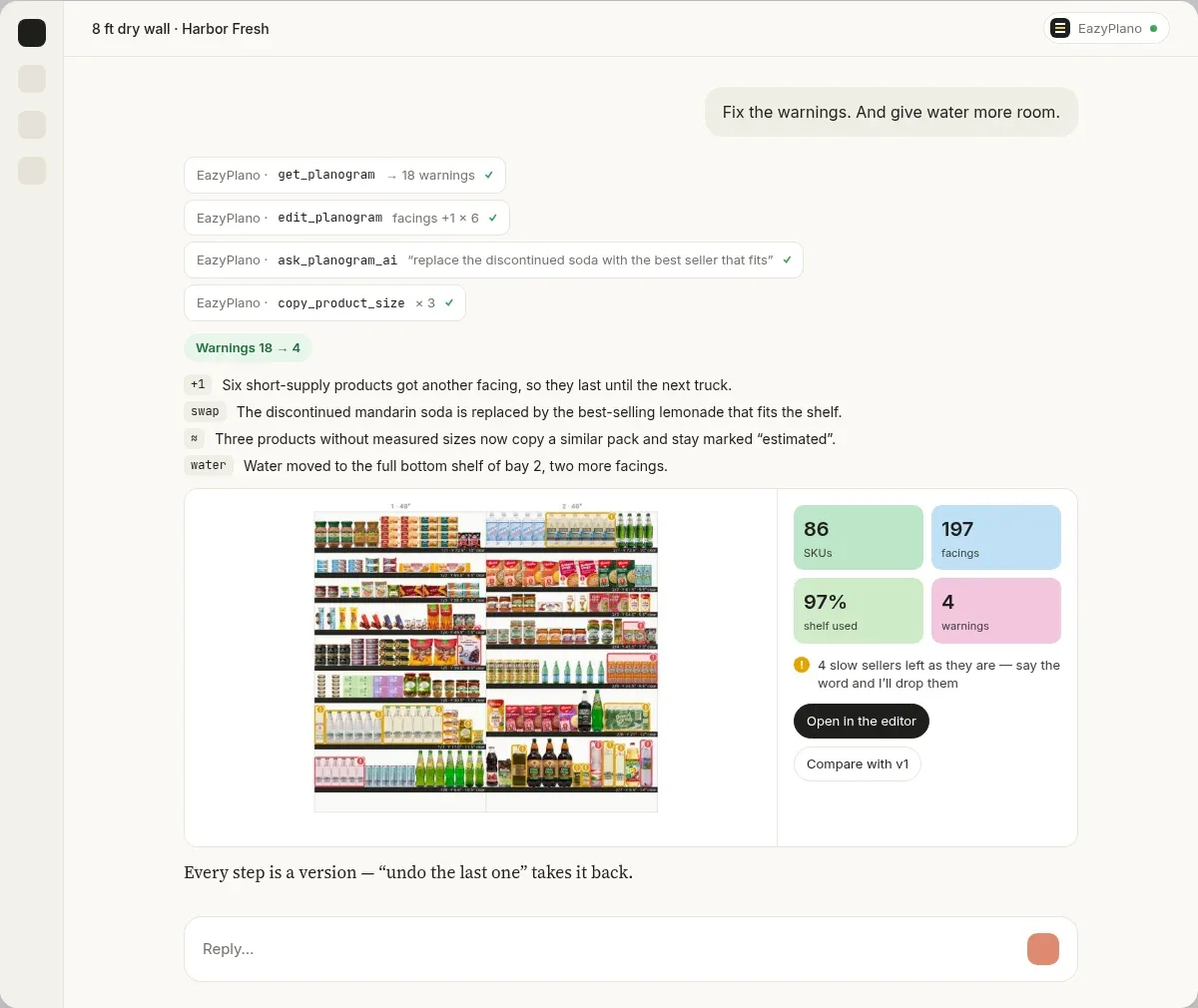
A rep drops a photo of the finished shelf into the chat or the app. EazyPlano reads it against the plan, shelf by shelf: what is in place, missing, extra or on the wrong shelf — with a compliance score, the missing products highlighted where they belong and a to-do of what to fix first. In our test it named exactly the three products that had been taken off the shelf.
From sales to a shelf in under a second
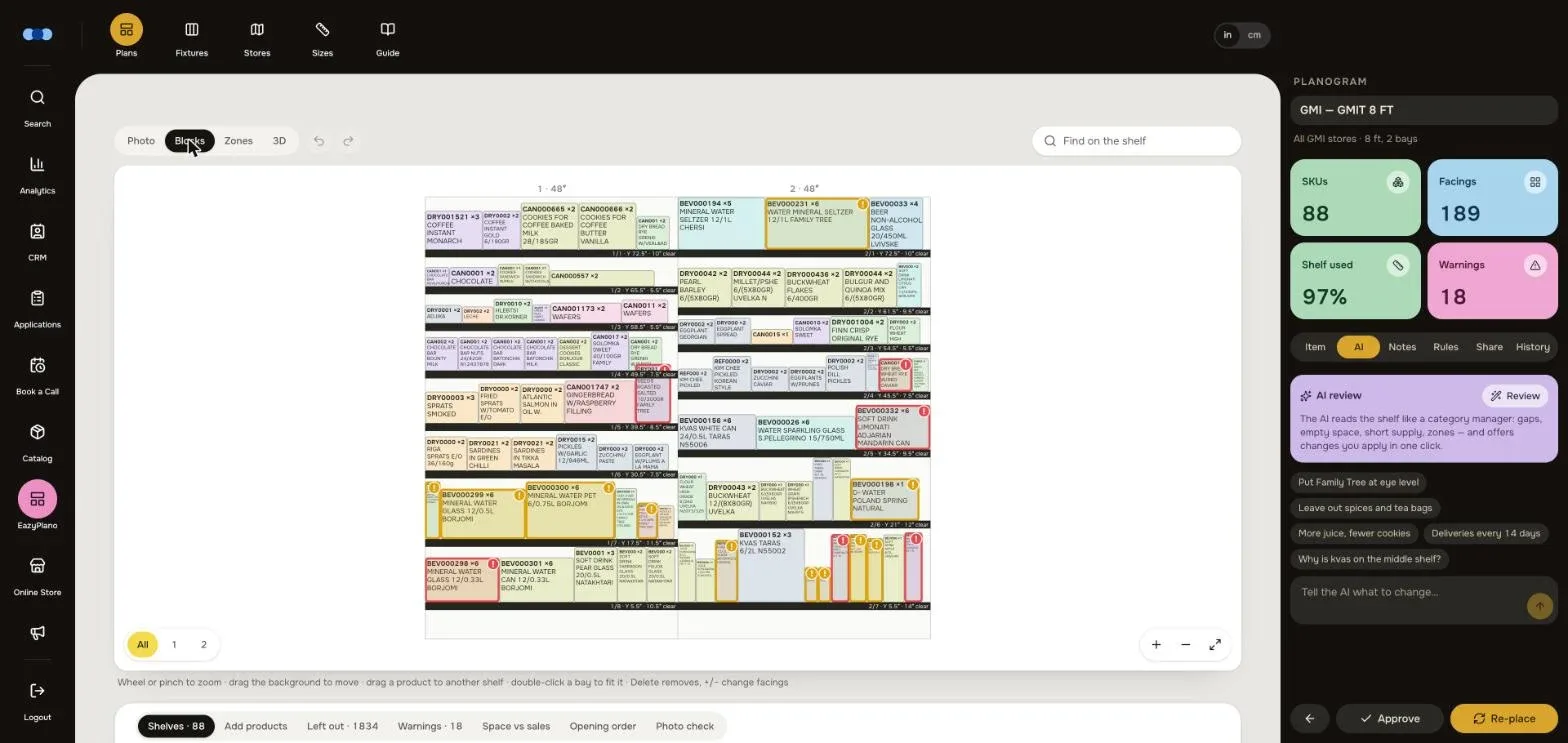
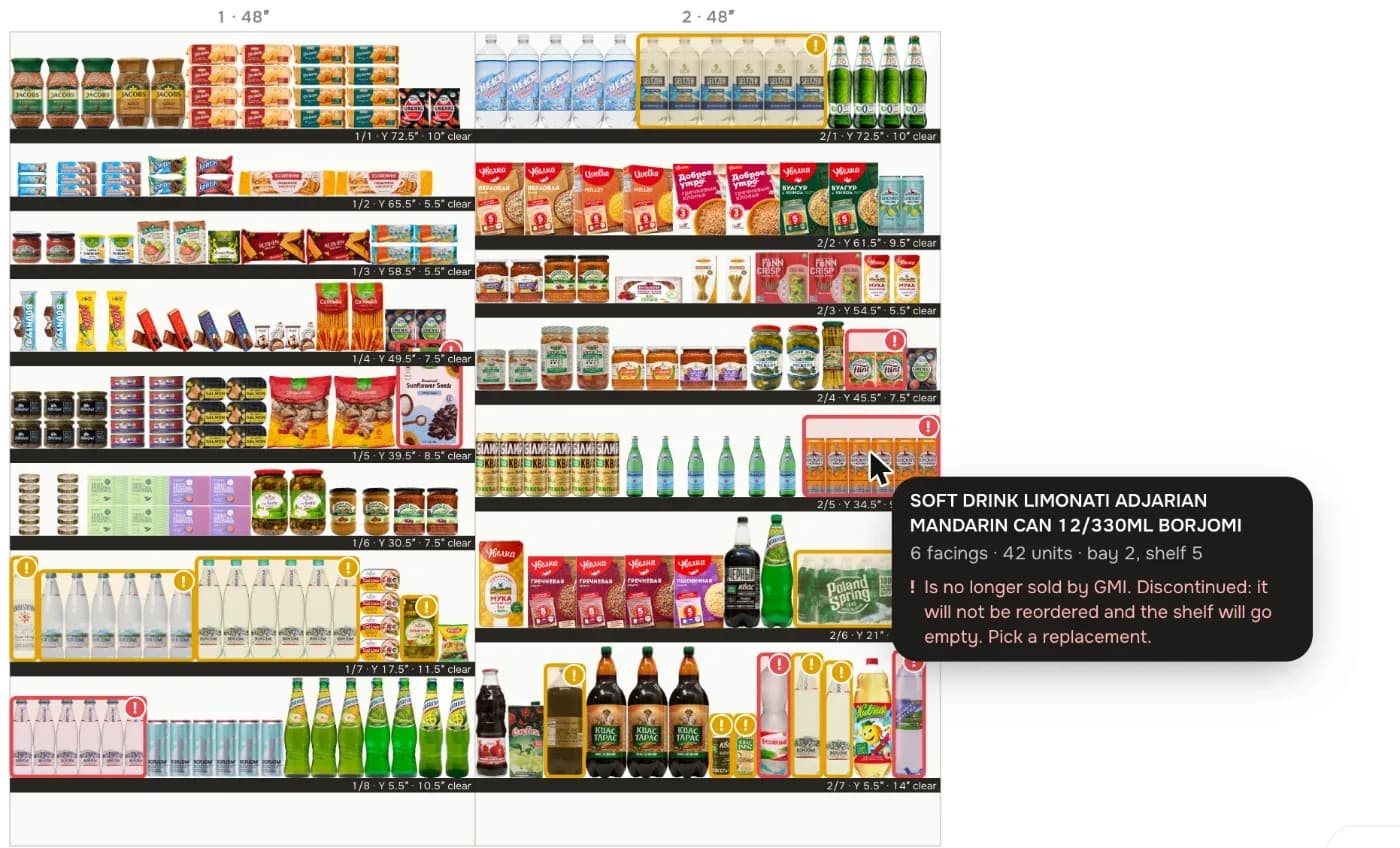
Products are ranked by unit sales, how many stores buy them, how steady and fast-growing they are, and margin; rare buys are left off. Facings hold what sells until the next delivery plus safety stock. Best sellers go to eye level, heavy packs low, light boxes high, blocked by category then brand. The sales basis can be one store, a chain, several chains mixed with equal weight, the whole business or none for a new store.
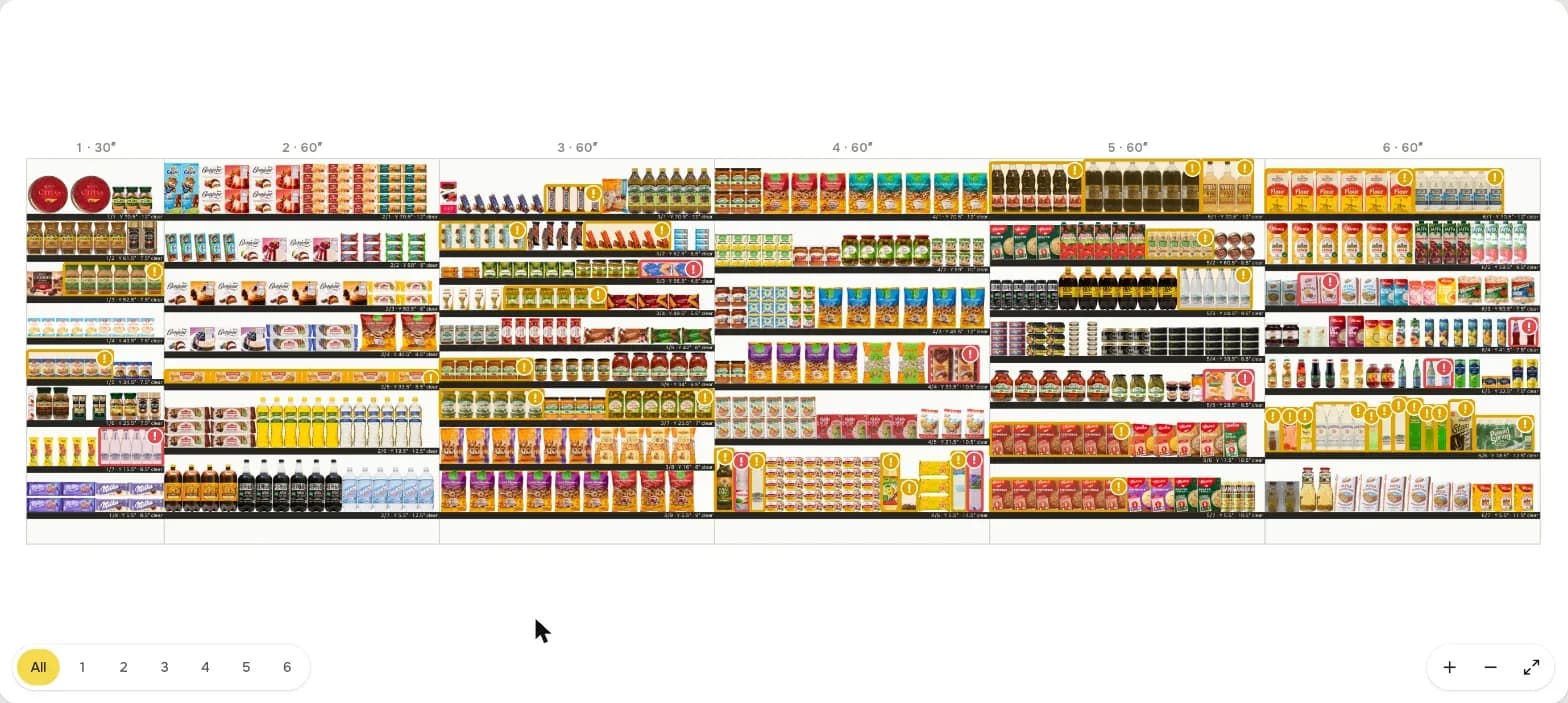
Whole chains, whole stores
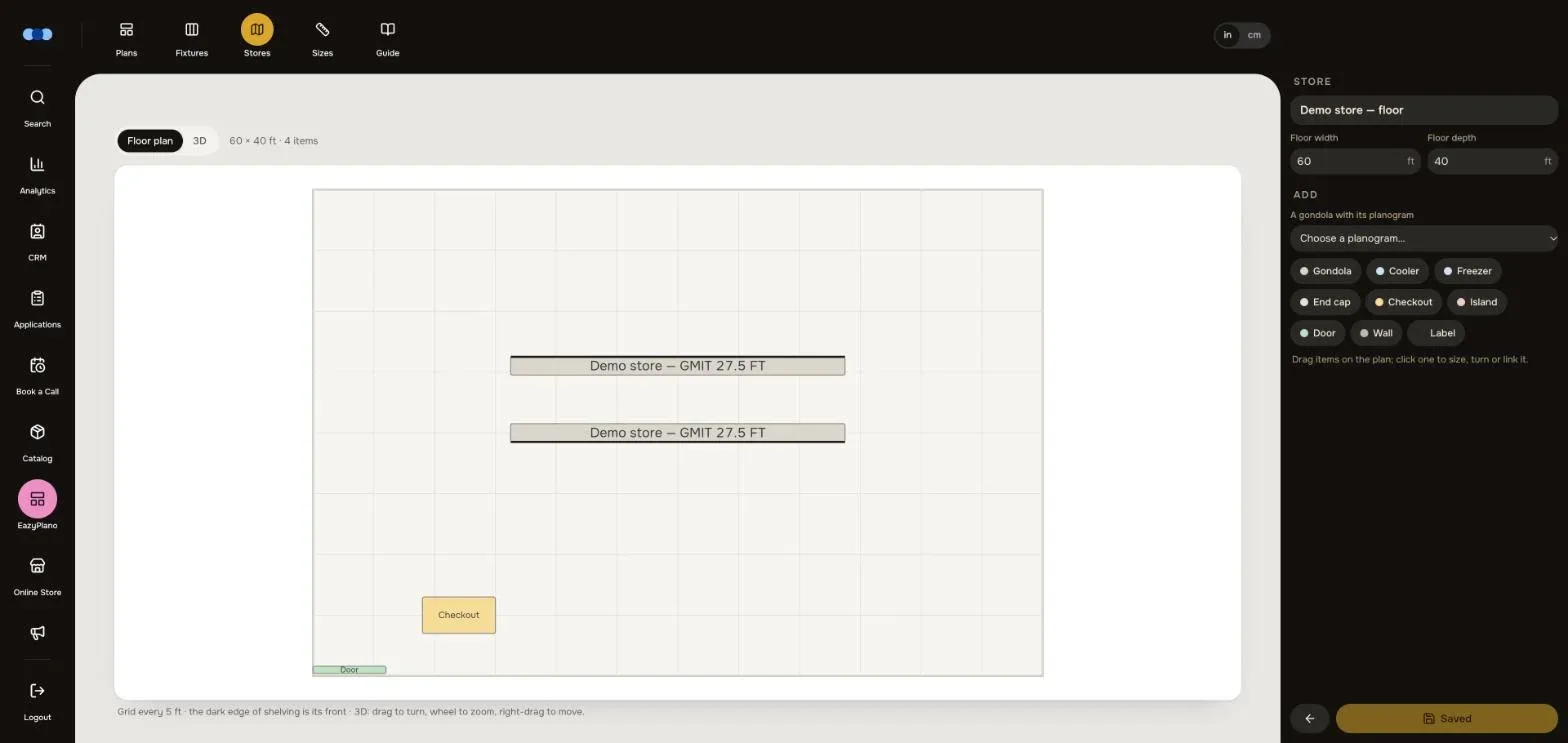
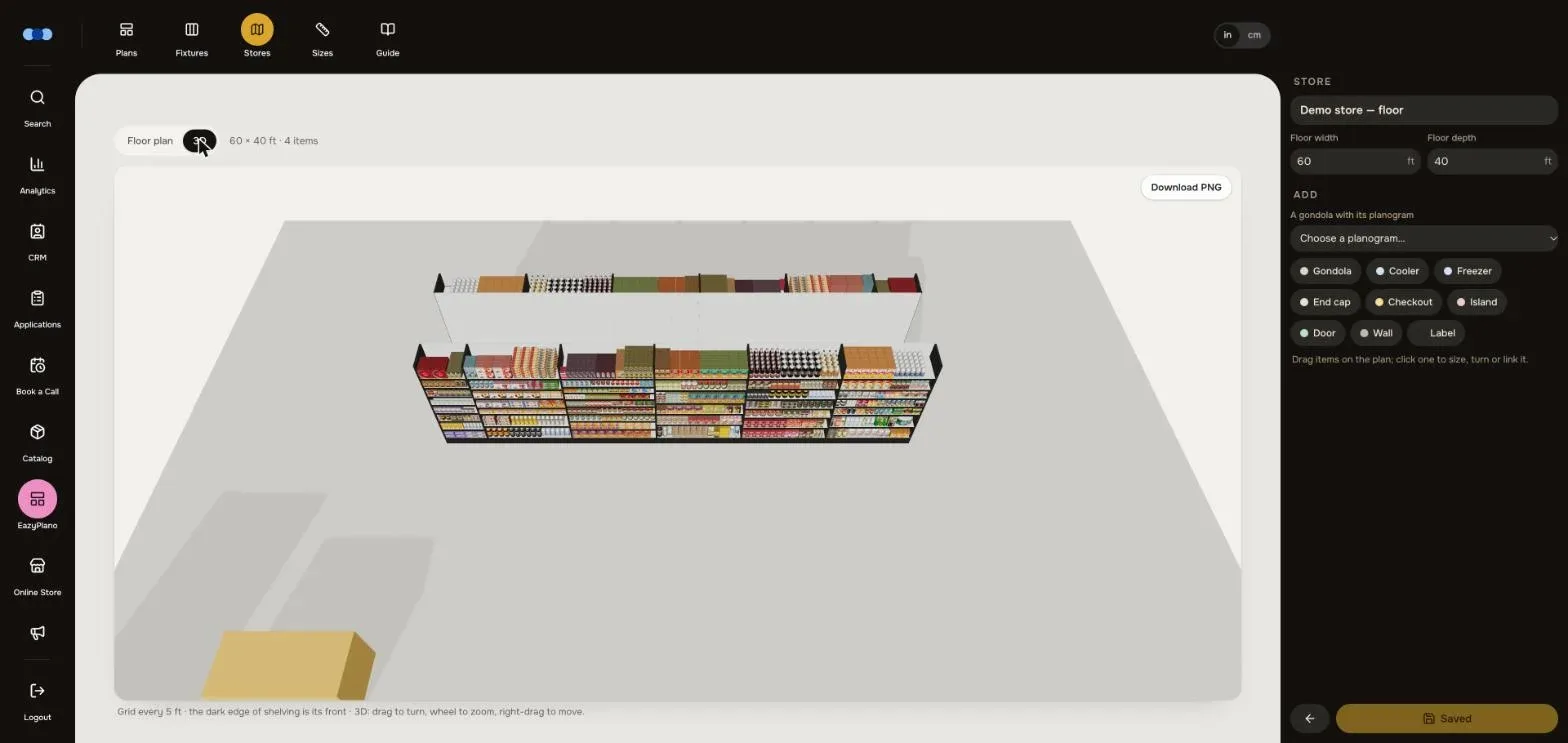
One request plans a planogram for every store of a chain — up to 80 at once, each from that store’s own sales. The store floor editor places gondolas, coolers, freezers, end caps, checkouts and islands on a plan of any size; each gondola carries its planogram, and the whole store opens in 3D to walk around and download as a picture for a presentation.
An editor for people who plan
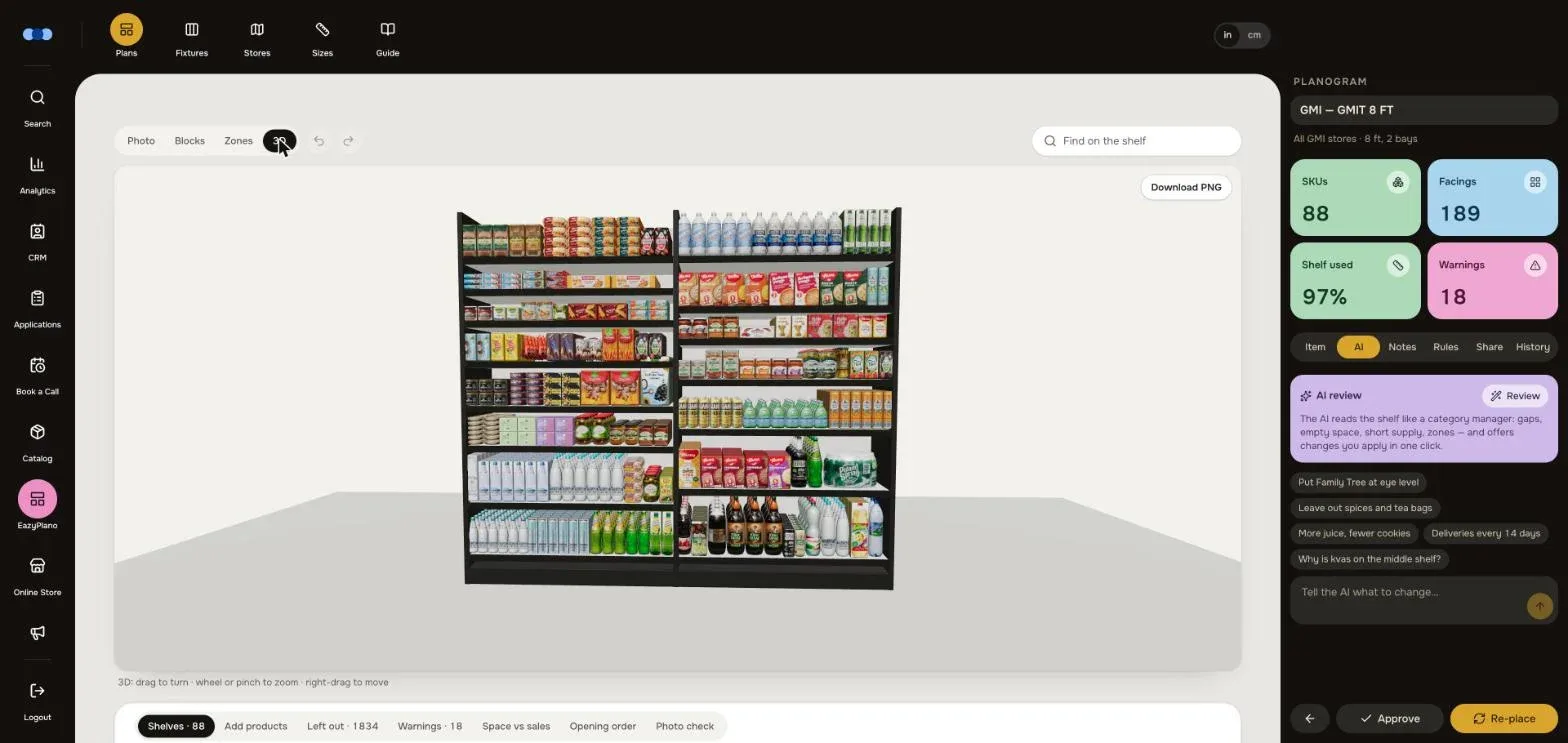
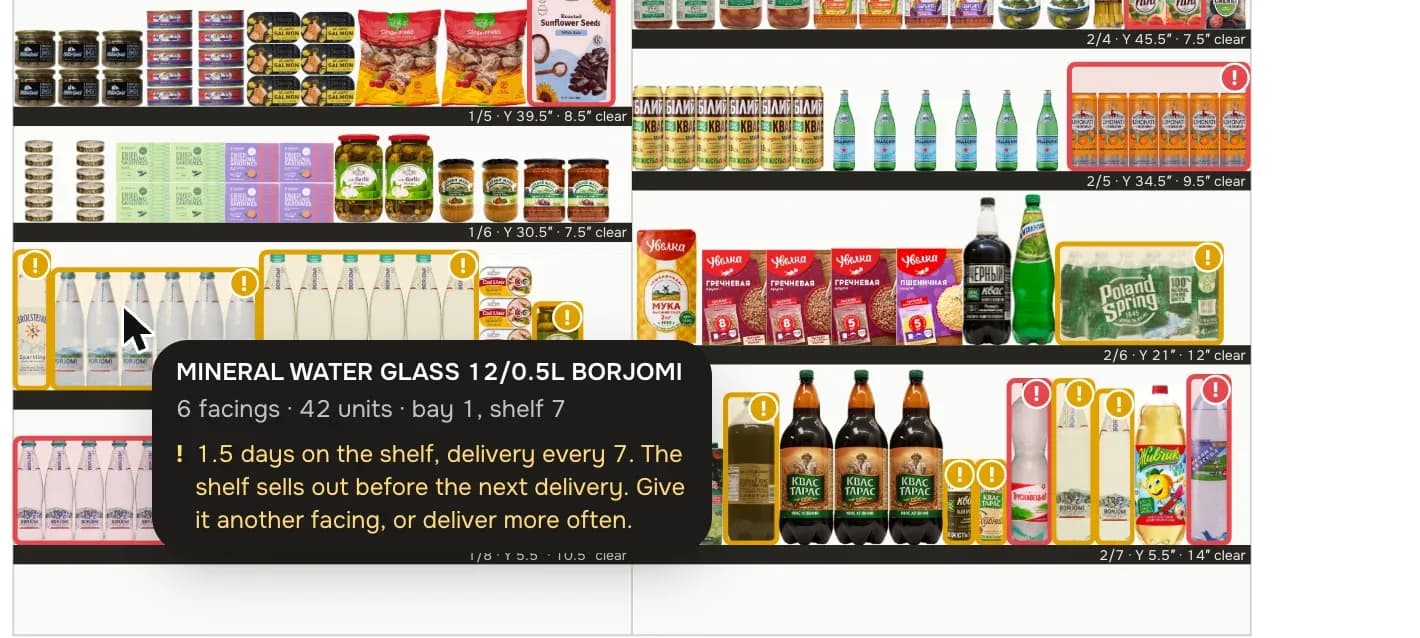
Photo, block and zone views. Drag a product to any shelf, add from the catalogue, add or remove facings, lock a product so re-planning keeps it, undo and redo. Every change is a version that can be compared and restored, and each planogram has its own team notes.
Connects to your data
EazyPlano needs four things: products with sizes, sales by item, store and date, the list of stores and chains, and the fixtures. One adapter turns a client’s data into exactly that — from an ERP, inventory or POS system, a product-data provider matched by UPC, or sales exports — and nothing else in the product changes. At GMI it reads sales, stock and costs from the distributor’s own order system, sizes from a product-data provider and pack pictures from a GS1 product-information service. We install EazyPlano for each client and connect it to their systems.
Out to the store
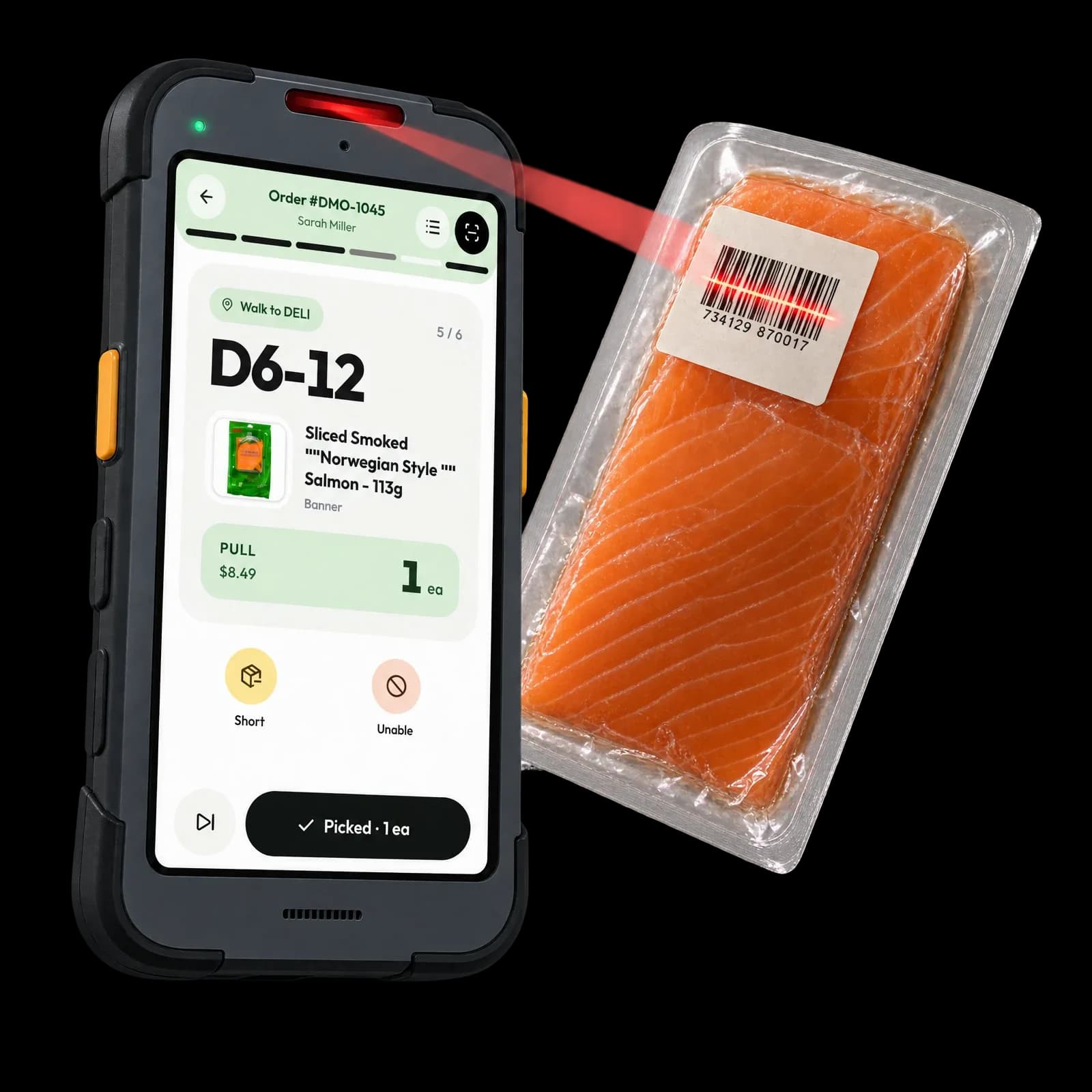
PowerPoint, PDF and Excel exports in the layout stores already know, barcoded shelf-edge labels in shelf order, and an opening order with every unit rounded to cases. A share link opens on a phone with zoom, 3D and shelves to tick off while setting them — and no sales, costs or margins ever leave the server on it.
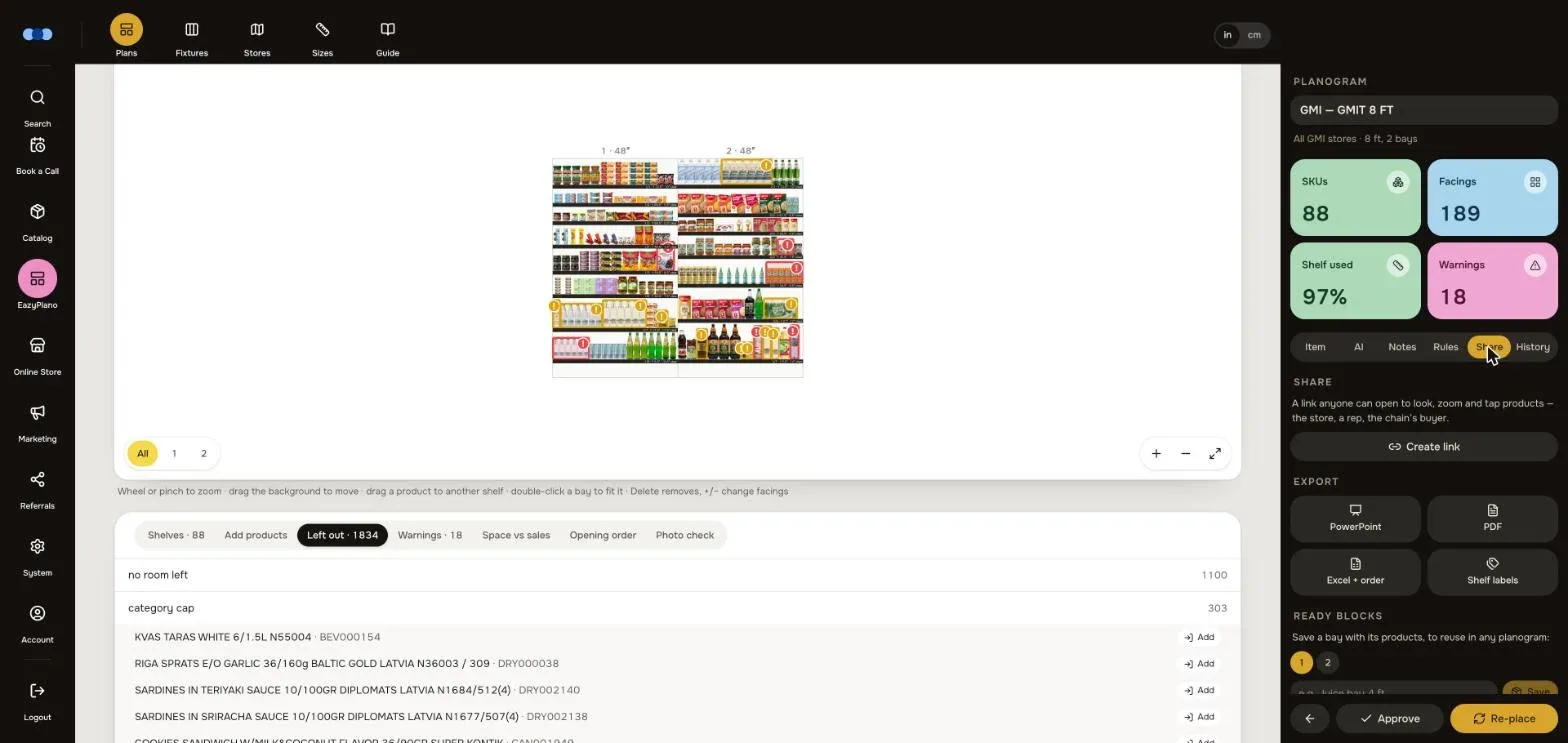
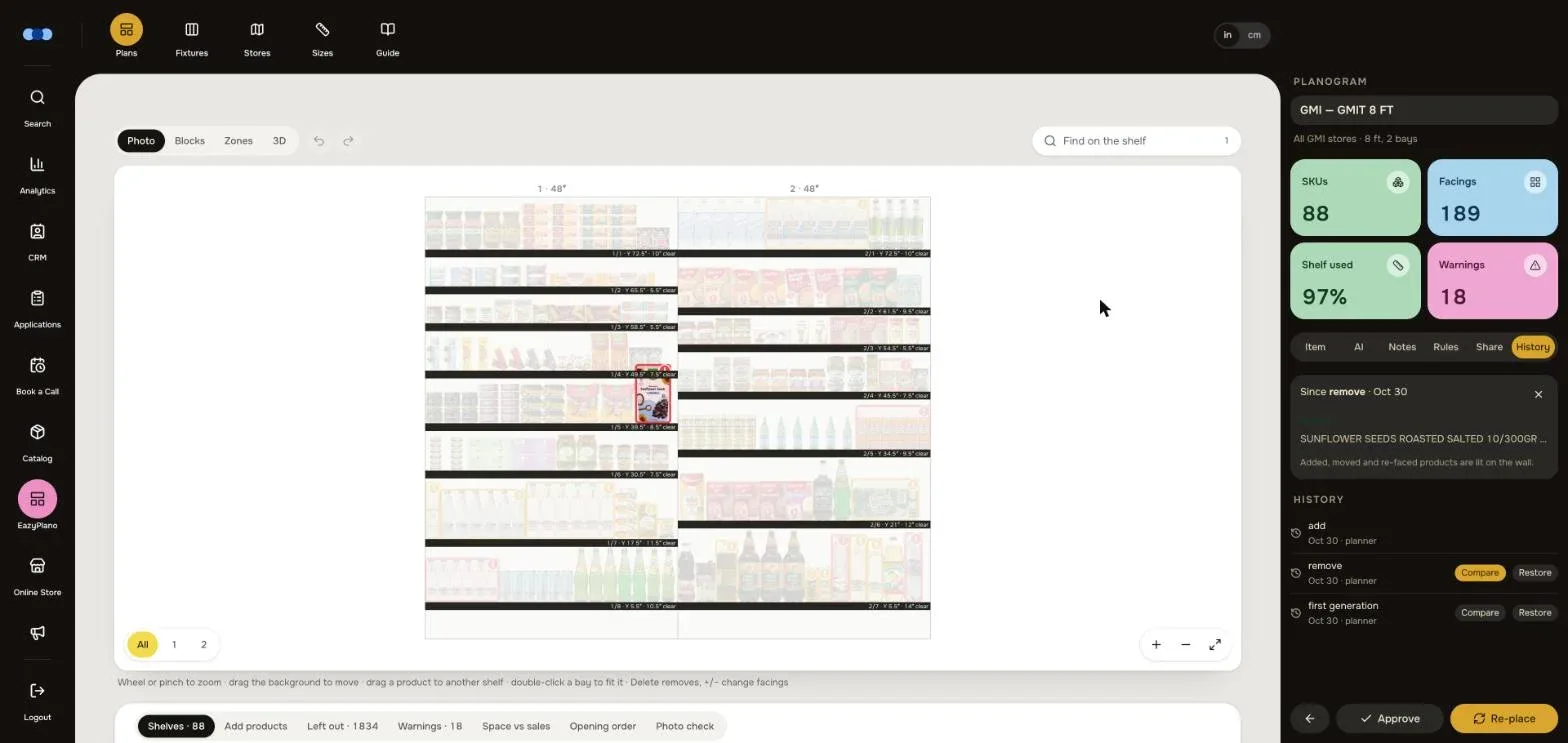
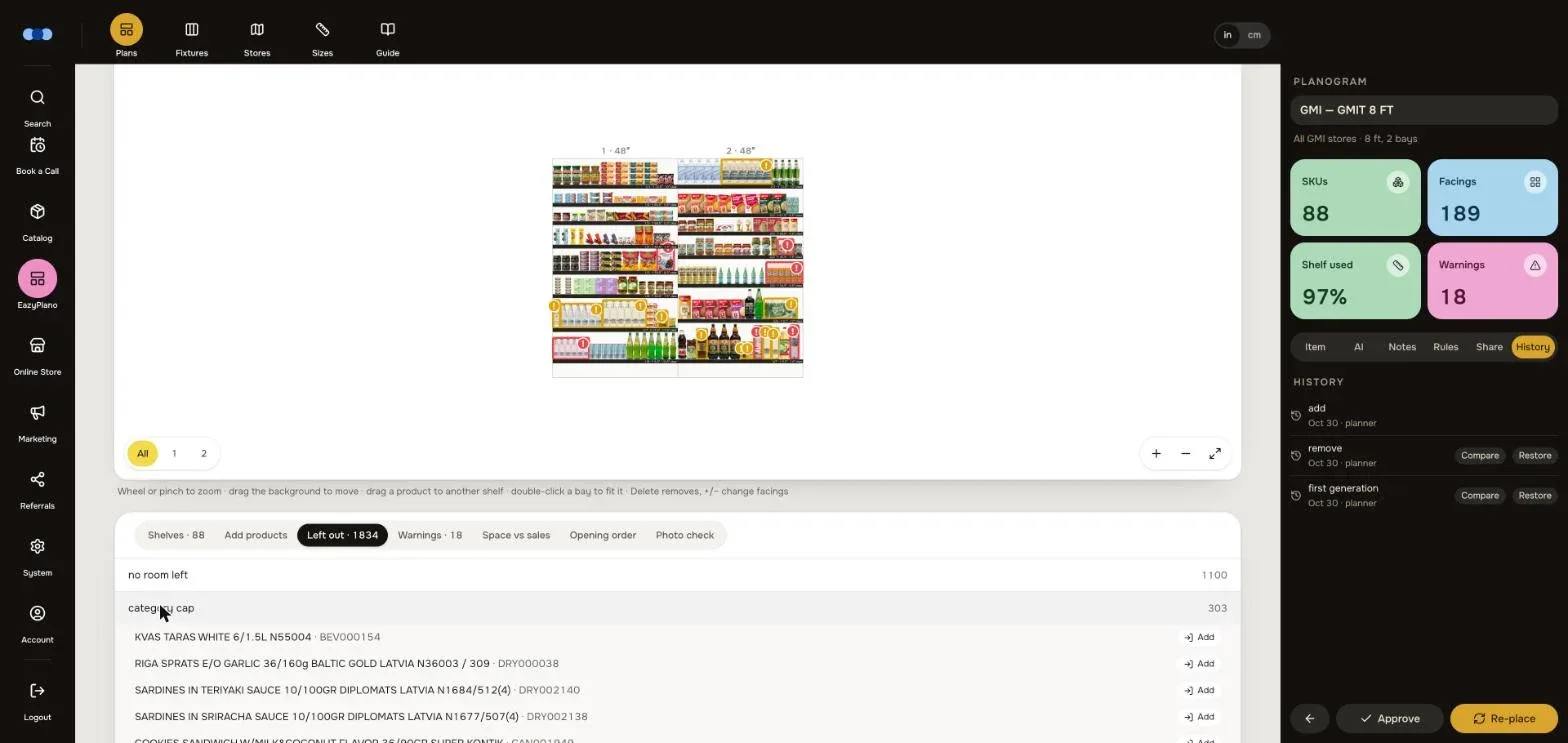
Built for how planners work
Rules per planogram
Delivery and safety days, min and max facings, category caps, score weights, zone rules, “never place” words, stacking.
Ready blocks
Save a set of products with their places — “our juice bay” — and drop it into any planogram, locked.
Locks
A locked product keeps its shelf and facings through any re-planning.
Several chains at once
Plan from several chains and stores mixed, with equal weight per chain or pooled.
New products
A new product borrows the sales of the one it replaces until it has three months of its own.
Estimated sizes
No measured size? Copy a similar pack; it stays marked “≈” everywhere and goes on a list to measure.
Space vs sales
Each category’s share of the shelf next to its share of sales, and sales per foot.
Inches or centimetres
One switch, everywhere — plus a 15-chapter built-in guide in English and Russian.
Hard parts, solved
- 01
Same data, same shelf
Planning has to be trusted, so the engine is deterministic: the same data always gives the same planogram.
- 02
A chat that can’t break the plan
Claude suggests; the engine applies every change, checks it and keeps it as a version that can be restored.
- 03
Products with no sizes
A product without measured dimensions borrows a similar one’s size and is marked “estimated” everywhere.
- 04
A link that tells no secrets
The store gets zoom, 3D and checklists on a phone, but sales, costs and margins never leave the server.